
Whether you're keen on playing old school arcade games. And you just updated or installed latest stable Debian 7 Wheezy. You will find out current installable Mame (Arcade Emulator) package cannot play many of the hot Games, even though game rom files are okay and you might have played those games in some previous versions of Debian with now obsolete but apparently better working emu xmame.
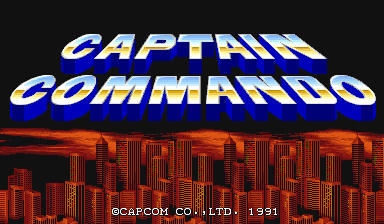
As playing Captain Command, Xain'D Sleena, Cadillac & Dinosaurs and Punisher Classic Arcades is one of my great entertainments when I have some free time. I took the time to find out if xmame is still installable either by deb package or from source.
Unfortunately xmame for latest Debian releases is not available from unofficial repositories, so I proceeded with installing it from source. Thanksfully source install was successful. Hence, below is explained how to install xmame from source on Debian Wheezy and Debian testing/unstable.
First before compiling install a bunch of development packages necessary for proper compilation:
 # apt-get install --yes zlib1g-dev

# apt-get install --yes libexpat1-dev

# apt-get install --yes libghc-x11-dev

# apt-get install --yes x11proto-video-dev

# apt-get install --yes libxv-dev
Download xmame 0.103 source archive (xmame-0.103.tar.bz2)
Tar archive doesn't have configure script so to compile it just run make ;
 # cd /usr/local/src

# tar -jxvvf xmame-0.103.tar.bz2

# su hipo

$  cd xmame-0.103

$ make

...

....

$ exit

# make install

.....
In case some header .h file is still missing and compile fails, as it happened to me on few occasions. You can install and use apt-file;
One important note is xmame's build will take very long on my machine with 2Gb of Memory and Dual Core 1.8 Ghz it took about 1,.30 or 2 hours.
# apt-get –yes install apt-file
# apt-file update
To find from which package the the missing .h file can be installed
# apt-file search Header-Name.h
Then just install package which will provide needed header.
Next step is to create xmame config file:
# mkdir /usr/local/share/xmame/
xmame-0.103$ cp -rpf ./src/unix/doc/xmamerc.dist /usr/local/share/xmame/xmamerc
In xmamerc set proper location for Mame ROM files:
# vim /usr/local/share/xmame/xmamerc
Find line;
rompath /usr/local/share/xmame/roms
and change it to whether Rom files are located. In my case they're in /disk/Games/Mames/roms, so change rompath to;
rompath /disk/Games/Mames/roms
There are some other configurations which you might want to tune. A well configured xmamerc that works fine for me is here
Finally link xmame.x11 to /usr/bin/xmame
# ln -sf /usr/local/bin/xmame.x11 /usr/bin/xmame
After having properly configured XMamE'S roms Directory to launch a game, for example punisher.zip or captcomm.zip:
 $ xmame punisher

....

 $ xmame captcom

....
I've build xmame from source on Debian but I suppose same guide should be working okay on Ubuntu, Mint and rest of Debian distributions. I'll be happy to get feedback if someone succeeded running xmame on other distro. If you do please drop me a comment with distro name and specifics or problems faced.







