Posts Tagged ‘times’

How to Easily Integrate AI Into Bash on Linux with ollama

Monday, January 12th, 2026

Essential Ollama Commands You Should Know | by Jaydeep Karale | Artificial Intelligence in Plain English

AI is more and more entering the Computer scene and so is also in the realm of Computer / Network management. Many proficient admins already start to get advantage to it.
AI doesn’t need a GUI, or a special cloud dashboard or fancy IDE so for console geeks Sysadmins / System engineers and Dev Ops it can be straightly integrated into the bash / zsh etc. and used to easify a bit your daily sys admin tasks.

If you live in the terminal, the most powerful place to add AI is Bash itself. With a few tools and a couple of lines of shell code, you can turn your terminal into an AI-powered assistant that writes commands, explains errors, and helps automate everyday Linux tasks.

No magic. No bloat. Just Unix philosophy with a brain.

1. AI as a Command-Line Tool

Instead of treating AI like a chatbot, treat it like any other CLI utility:

  • stdin → prompt
  • stdout → response
  • pipes → integration

Hardware Requirements of Ollama Server

2. Minimum VM (It runs, but you’ll hate it)

Only use this to test that things work.

  • vCPU: 2
  • RAM: 4 GB
  • Disk: 20 GB (SSD mandatory)
  • Storage type: ( HDD / network storage = bad )
  • Models: phi3, tinyllama

Expect:

  • Very slow pulls
  • Long startup times
  • Laggy responses

a. Recommended VM (Actually usable)

This is the sweet spot for Bash integration and daily CLI use.

  • vCPU: 4–6 (modern host CPU)
  • RAM: 8–12 GB
  • Disk: 30–50 GB local SSD
  • CPU type: host-passthrough (important!)
  • NUMA: off (for small VMs)

Models that feel okay:

  • phi3
  • mistral
  • llama3:8b (slow but tolerable)
 

b. “Feels Good” VM (CPU-only but not painful)

If you want it to feel responsive.

  • vCPU: 8
  • RAM: 16 GB
  • Disk: NVMe-backed storage
  • CPU flags: AVX2 enabled
  • Hugepages: optional but nice

Models:

  • llama3:8b
  • codellama:7b
  • mixtral (slow, but usable)
 

Hypervisor-Specific Advice (Important)

c. KVM / Proxmox (Best choice)

  • CPU type: host
  • Enable AES-NI, AVX, AVX2
  • Use virtio-scsi
  • Cache: writeback
  • IO thread: enabled

d. If running VM on VMware platform

  • Enable Expose hardware-assisted virtualization
  • Use paravirtual SCSI
  • Reserve memory if possible

e. VirtualBox (Not recommended)

  • Poor CPU feature exposure
  • Weak IO performance

Avoid if you can

f. Local AI With Ollama (Recommended)

If you want privacy, low latency, and no API keys, Ollama is currently the easiest way to run LLMs locally on Linux.

3. Install Ollama

# curl -fsSL https://ollama.com/install.sh | sh


Start the service:

# ollama serve

Pull a model (lightweight and fast):

# ollama pull llama3

Test it:

ollama run llama3 "Explain what the ls command does"

If that works, you’re ready to integrate.

To check whether all is properly setup after installed llama3:

root@haproxy2:~# ollama list
NAME             ID              SIZE      MODIFIED
llama3:latest    365c0bd3c000    4.7 GB    About an hour ago

root@haproxy2:~# systemctl status ollama
● ollama.service – Ollama Service
     Loaded: loaded (/etc/systemd/system/ollama.service; enabled; preset: enabled)
     Active: active (running) since Mon 2026-01-12 16:43:30 EET; 15min ago
   Main PID: 37436 (ollama)
      Tasks: 16 (limit: 6999)
     Memory: 5.0G
        CPU: 13min 5.264s
     CGroup: /system.slice/ollama.service
             ├─37436 /usr/local/bin/ollama serve
             └─37472 /usr/local/bin/ollama runner –model /usr/share/ollama/.ollama/models/blobs/sha256-6a0746a1ec1aef3e7ec53>

яну 12 16:45:34 haproxy2 ollama[37436]: llama_context: Flash Attention was auto, set to enabled
яну 12 16:45:34 haproxy2 ollama[37436]: llama_context:        CPU compute buffer size =   258.50 MiB
яну 12 16:45:34 haproxy2 ollama[37436]: llama_context: graph nodes  = 999
яну 12 16:45:34 haproxy2 ollama[37436]: llama_context: graph splits = 1
яну 12 16:45:34 haproxy2 ollama[37436]: time=2026-01-12T16:45:34.959+02:00 level=INFO source=server.go:1376 msg="llama runner>
яну 12 16:45:34 haproxy2 ollama[37436]: time=2026-01-12T16:45:34.989+02:00 level=INFO source=sched.go:517 msg="loaded runners>
яну 12 16:45:35 haproxy2 ollama[37436]: time=2026-01-12T16:45:35.000+02:00 level=INFO source=server.go:1338 msg="waiting for >
яну 12 16:45:35 haproxy2 ollama[37436]: time=2026-01-12T16:45:35.001+02:00 level=INFO source=server.go:1376 msg="llama runner>
яну 12 16:55:58 haproxy2 ollama[37436]: [GIN] 2026/01/12 – 16:55:58 | 200 |    3.669915ms |       127.0.0.1 | HEAD     "/"
яну 12 16:55:58 haproxy2 ollama[37436]: [GIN] 2026/01/12 – 16:55:58 | 200 |   42.244006ms |       127.0.0.1 | GET      "/api/>
root@haproxy2:~#

4. Turning AI Into a Bash Command

Let’s create a simple AI helper command called ai.

Add this to your ~/.bashrc or ~/.bash_aliases:

ai() {

  ollama run llama3 "$*"

}

Reload your shell:

$ source ~/.bashrc


Now you can do things like:

$ ai "Write a bash command to find large files"


$ ai "Explain this error: permission denied"

$ ai "Convert this sed command to awk"


At this point, AI is already a first-class CLI tool.

5. Using AI to Generate Bash Commands

One of the most useful patterns is asking AI to output only shell commands.

Example:

$ ai "Give me a bash command to recursively find .log files larger than 100MB. Output only the command."

Copy, paste, done.

You can even enforce this behavior with a wrapper:

aicmd() {

  ollama run llama3 "Output ONLY a valid bash command. No explanation. Task: $*"

}

Now:

$ aicmd "list running processes using more than 1GB RAM"

Danger note: always read commands before running them. AI is smart, not trustworthy.

6. AI for Explaining Commands and Logs

This is where AI shines.

Pipe output directly into it:

$ dmesg | tail -n 50 | ai "Explain what is happening here"

Or errors:

$ make 2>&1 | ai "Explain this error and suggest a fix"

You’ve just built a terminal-native debugger.

7. Smarter Bash History Search

You can even use AI to interpret your intent instead of remembering exact commands:

aih() {

  history | ai "From this bash history, find the best command for: $*"

}

Example:

$ aih "compress a directory into tar.gz"

It’s like Ctrl+R, but semantic.

8. Using AI With Shell Scripts

AI can help generate scripts inline:

$ ai "Write a bash script that monitors disk usage and sends a notification when it exceeds 90%"

You’re not replacing scripting skills – you’re accelerating them.

Think of AI as:

  • a junior sysadmin
  • a documentation search engine
  • a rubber duck that talks back

9. Where Ollama Stores Its Data

Depending on how it runs:

System service (most common)

Models live here:

/usr/share/ollama/.ollama/

Inside:

models/

blobs/

User-only install

~/.ollama/

Since you installed as root + systemd, use the first path.

See What’s Taking Space

# du -sh /usr/share/ollama/.ollama/*

Typical output:

  • models/ → metadata
  • blobs/ → the big files (GBs)

10. Remove Unused Models (Safe Way)

List models Ollama knows about:

# ollama list

Remove a model properly:

# ollama rm llama3

This removes metadata and unreferenced blobs.

Always try this first.

11. Full Manual Cleanup (Hard Reset)

If things are broken, stuck, or you want a clean slate:

Stop Ollama

# systemctl stop ollama

Delete all local models and cache

# rm -rf /usr/share/ollama/.ollama/models

# rm -rf /usr/share/ollama/.ollama/blobs

(Optional but safe)

# rm -rf /usr/share/ollama/.ollama/tmp

Start Ollama again

# systemctl start ollama

Ollama will recreate everything automatically.

Verify Cleanup Worked

# du -sh /usr/share/ollama/.ollama

# ollama list

You should see:

  • Very small disk usage
  • Empty model list

Prevent Disk Bloat (Highly Recommended)

Only pull small models on VMs

Stick to:

  • phi3
  • mistral
  • tinyllama

Remove models you don’t use

# ollama rm modelname

Set a custom data directory (optional)

If /usr is small, move Ollama data:

# systemctl stop ollama

# mkdir -p /opt/ollama-data

# chown -R ollama:ollama /opt/ollama-data

Edit service:

# systemctl edit ollama

Add:

[Service]

Environment=OLLAMA_HOME=/opt/ollama-data

Then:

# systemctl daemon-reload

# systemctl start ollama

Quick “Nuke It” One-Liner (Use With Care)

Deletes everything Ollama-related:

# systemctl stop ollama && rm -rf /usr/share/ollama/.ollama && systemctl start ollama

API-Based Option (Cloud Models)

If you prefer cloud models (OpenAI, Anthropic, etc.), the pattern is identical:

  • Use curl
  • Pass prompt
  • Parse output

Once AI returns text to stdout, Bash doesn’t care where it came from.

12. Best Practices how to use shell AI to not overload machine

Before you go wild:

  • Don’t auto-execute AI output
  • Don’t run AI as root
  • Treat responses as suggestions
  • Version-control important scripts
  • Keep prompts specific
     

AI is powerful — but Linux still assumes you know what you’re doing.

Sum it up

Adding AI to Bash isn’t about replacing skills.
It’s about removing friction.

When AI gets easy to use from the command line it is a great convenience for those who don't want to switch to browser all the time and copy / paste like crazy.
AI as a command-line tool fits perfectly into the Linux console:

  • composable
  • scriptable
  • optional
  • powerful

Once you’ve used AI from inside your shell for a few hours, going back to browser-based AI chat stuff like querying ChatGPT feels… slow and inefficient.
However keep in mind that ollama is away from perfect and has a lot of downsides and ChatGPT / Grok / DeepSeek often might give you better results, however as ollama is really isolated and non-depend on external sources your private quries will not get into a public AI historic database and you won't be tracked.
So everything has its Pros and Cons. I'm pretty sure that this tool and free AI tools like those will certainly have a good future and will be heavily used by system admins and
programmers in the coming future.
The terminal just got smarter. And it didn’t need a GUI to do it.

How to Optimize Debian Linux on old Computers to Get improved overall Speed, Performance and Stability

Tuesday, December 30th, 2025

tuning-debian-linux-to-work-quickly-and-smooth-on-old-pc-laptop-hardware


How to optimize Debian version 12.12 Linux OS to work responsive on Old ThinkPad laptops like from year 2008 Thinkpad R61 with Window Maker, zram, SSD etc.

Old computers aren’t obsolete but most worthy if you dont want to spend on extra hardware.

With the right setup, Debian Linux can run smoothly on hardware that’s more than a decade old. This article walks through a real-world, proven configuration using a classic ThinkPad R61 (Core 2 Duo, 4 GB RAM, SSD), but the principles apply to many older PCs as well.

Why use Debian Linux on old hardware?

Debian Stable is ideal for old hardware because it offers:

  • Low baseline resource usage
  • Long-term stability
  • Minimal background activity
  • Excellent support for lightweight desktops
  • Flexible and well organized and relatively easy to tune

Paired with a minimal window manager, Debian easily outperforms many “lightweight” distros that still ship heavy defaults.

Hardware Baseline PC setup

Test system:

  • Laptop: ThinkPad R61
  • CPU: Intel Core 2 Duo
  • RAM: 4 GB
  • Storage: SATA SSD
  • Graphics: Intel X3100 / NVIDIA NVS 140M
  • Desktop: Window Maker

This is a common configuration for late-2000s business laptops.

1. Desktop Environment: Keep It Simple

Heavy desktop environments is the main factor to slow down an old PC.
Where possible dont use the Desktop environment at all and stick to console.

Recommended:

  • Window Maker (used by myself)
  • Openbox
  • Fluxbox
  • IceWM

Avoid:

  • GNOME
  • KDE Plasma
  • Cinnamon

Window Maker is especially effective: no compositing, no animations, minimal memory usage.

2. Terminal Choice Matters

For console-based applications (games, tools, system utilities), use a terminal that correctly reports its size. Lets say you use xterm:

$ xterm

You can force a usable terminal size like this:

$ xterm -geometry 80×32 &

This avoids common issues with console applications failing due to incorrect terminal dimensions.

Install urxvt (best choice for terminal productivity)

Open a terminal and run:

apt update
# apt install rxvt-unicode

Optional (if you want tabbed terminal use suckless):

# sudo apt install suckless-tools

  • rxvt-unicode-256color → main terminal (n/a in debian) have to install third party  
  • rxvt-unicode-256color-perl → Perl extensions (tabs, URL click, etc.) (n/a in debian, installable via third party)
  • suckless-tools → includes tabbed, can be used as an alternative for tabs

a. Configure .Xresources

Create or edit ~/.Xresources:

$ vim~/.Xresources

Example for beautiful setup with tabs, transparency, and fonts:

! Basic appearance
! URxvt.font: xft:FiraCode Nerd Font Mono:size=12
 URxvt.background: [90]#1c1c1c
 URxvt.foreground: #c0c0c0
! URxvt.cursorColor: #ff5555
! URxvt.saveLines: 10000
! URxvt.scrollBar: false
! URxvt.borderLess: true

! Enable tabs using built-in tabbed extension
URxvt.perl-ext-common: default,tabbed

! Tab colors
URxvt.tabbed.tabbar-fg: 15
URxvt.tabbed.tabbar-bg: 0
URxvt.tabbed.tab-fg: 2
URxvt.tabbed.tab-bg: 8

! Keybindings for tabs
! Ctrl+Shift+N → new tab
URxvt.keysym.Control-Shift-N: perl:tabbed:new_tab
! Ctrl+Shift+W → close tab
URxvt.keysym.Control-Shift-W: perl:tabbed:close_tab
! Ctrl+Tab → next tab
URxvt.keysym.Control-Tab: perl:tabbed:next_tab
! Ctrl+Shift+Tab → previous tab
URxvt.keysym.Control-Shift-Tab: perl:tabbed:prev_tab
! Tabs keybindings
URxvt.keysym.Control-N: perl:tabbed:new_tab
URxvt.keysym.Control-W: perl:tabbed:close_tab


b. Apply .Xresources changes

Run:

$ xrdb ~/.Xresources

Then launch urxvt:

$ rxvt

  • Ctrl+Shift+T → new tab
  • Ctrl+Shift+W → close tab

c. Optional: Make it even cooler

  1. Install powerline fonts or Nerd Fonts (for fancy prompt icons):

# apt install fonts-firacode

  1. Enable URL clicking and clipboard (already enabled above)

  2. Combine with tmux for extra tabs/panes, session management, and more shortcuts.

3. Retain only last 500MB from journald

Retain only the past 500 MB:

# journalctl –vacuum-size=500M

This is exteremely useful as sometimes failing services might generate ton of unnecessery logs and might flood up the old machine hard disk.

4. Reduce journal memory footprint

# vim /etc/systemd/journald.conf

Set Storage=volatile
Set RuntimeMaxUse=50M

# systemctl restart systemd-journald

5. Trim services boot times

# systemd-analyze blame
# systemd-analyze critical-chain

This tells you which services slow down your boot the most.

6. Disable Unnecessary Services

Old systems benefit massively from disabling unused background services.

Check what’s enabled:

# systemctl list-unit-files –state=enabled

Common candidates to disable (if not needed):

# systemctl disable bluetooth
# systemctl disable cups
#systemctl disable avahi-daemon

#systemctl disable ModemManager

Each disabled service saves RAM and CPU cycles.

7. Dirty Page Tuning (Reduces Freezes)

Defaults favor servers, not laptops.

Edit:

vim /etc/sysctl.conf

Add:

vm.dirty_background_ratio=5
vm.dirty_ratio=10

This forces writeback earlier, preventing sudden stalls.

8. Memory Tuning: zram Done Right

Does zram make sense with 4 GB RAM and an SSD?

Yes it could, but only in moderation.

zram compresses memory in RAM and acts as fast swap. On a Core 2 Duo, compression overhead is small and the benefit is smoother multitasking.

Recommended zram configuration

Install zram-tools deb package:

# apt install zram-tools

Edit:

# vim /etc/default/zramswap

Set:

PERCENT=15

This creates ~600 MB of compressed swap — enough to absorb memory spikes without wasting RAM.

9. Keep Disk Swap (But Small)

Even with zram, disk swap is useful as a fallback.

Recommended:

  • 1–2 GB swap on SSD
  • zram should have higher priority than disk swap

Check:

# swapon –show

10. Swappiness and Cache Pressure

Tune the kernel to prefer RAM and zram first:

# vim /etc/sysctl.conf

Add:

vm.swappiness=10
vm.vfs_cache_pressure=50

Apply:

# sysctl -p

This prevents early swapping and keeps the system responsive.

11. CPU Governor: A Hidden Performance Win

Older ThinkPads often run conservative CPU governors.

Install tools:

# apt install cpufrequtils

Set a balanced governor:

# echo 'GOVERNOR="ondemand"' | sudo tee /etc/default/cpufrequtils

# systemctl restart cpufrequtils

This allows the CPU to ramp up quickly when needed.

12. Power and Thermal Management (ThinkPad-Specific)

Install TLP:

# apt install tlp
# systemctl enable tlp
# systemctl start tlp

TLP improves:

  • Battery life
  • Thermal behavior
  • SSD longevity

Defaults are usually perfect – no heavy tuning required.

13. Disable Watchdogs (If You Don’t Debug Kernels)

Watchdogs waste cycles on old CPUs.

Check:

# lsmod | grep watchdog

Disable:

# vim /etc/modprobe.d/blacklist.conf

Add:

blacklist iTCO_wdt
blacklist iTCO_vendor_support

Reboot.

14. Reduce systemd Noise

systemd logs aggressively by default.

Edit:

#vim/etc/systemd/journald.conf

Set:

Storage=volatile
RuntimeMaxUse=50M

Then:

#systemctl restart systemd-journald

Less disk I/O, faster boots.

15. Use tmpfs for caching and Volatile Junk

Put garbage in RAM, not SSD.

Edit:

# vim /etc/fstab

Add:

tmpfs /tmp tmpfs noatime,nosuid,nodev,mode=1777,size=256M 0 0

Optional:

tmpfs /var/tmp tmpfs noatime,nosuid,nodev,size=128M 0 0
# mount -a

16. IRQ Balance: Disable It (might slow down machine)

On single-socket old laptops, irqbalance can hurt.

Disable:

# systemctl disable irqbalance

Test performance; re-enable if needed.

17. Reduce systemd Timeout Delays

Old laptops often wait forever on dead hardware.

Edit:

# vim /etc/systemd/system.conf

Set:

DefaultTimeoutStartSec=10s
DefaultTimeoutStopSec=10s

18. Strip Kernel Modules You Don’t Use

If you don’t use:

  • FireWire
  • Bluetooth
  • Webcam

Blacklist them:

# vim /etc/modprobe.d/blacklist-extra.conf

Example:

blacklist firewire_ohci
blacklist firewire_core
blacklist uvcvideo
blacklist bluetooth


Faster boot, fewer interrupts.

19. X11 Performance Tweaks (Intel Graphics)

Create:

# vim/etc/X11/xorg.conf.d/20-intel.conf

Add:

Section "Device"
Identifier "Intel Graphics"
Driver "intel"
Option "TearFree" "false"
Option "AccelMethod" "sna"
EndSection

20. Disable IPv6 (if not used)

Saves a little RAM and startup time.

Edit:

# vim/etc/sysctl.conf

Add:

net.ipv6.conf.all.disable_ipv6=1
net.ipv6.conf.default.disable_ipv6=1

21.Lower Kernel Log Level verbosity

Stop kernel spam.

# dmesg -n 3

Make permanent:

# vim/etc/sysctl.conf

Add:

kernel.printk=3 4 1 3

22.Scheduler Latency (Advanced)

For desktop interactivity:

# vim/etc/sysctl.conf

Add:

kernel.sched_autogroup_enabled=1

Helps UI responsiveness under load.

23.Kill Browser Bloat (Biggest Win)

For Firefox ESR:

  • Disable telemetry
  • Enable tab unloading

browser.sessionstore.interval = 300000

No kernel tweak beats this.


a. Enable tab unloading (automatic tab discard)

  1. Open Firefox ESR
    Type

  2. about:config

  3. in the address bar.
  4. Accept the warning: “This might void your warranty.”

  5. Search for the following preference:

browser.tabs.unloadOnLowMemory

  • Default: false
  • Set to: true
     

This enables Firefox to unload inactive tabs automatically when memory is low.

b. Optional tuning

Some other preferences you can tweak:

Preference

Description

Suggested value


browser.tabs.maxSuspendedTabs


Maximum number of tabs that can be suspended

10–20


browser.tabs.autoHide


Auto-hide tabs while suspended (older ESR versions)

true


browser.tabs.loadInBackground


Background tabs load in suspended state

true


browser.sessionstore.interval


How often session is saved (ms)

15000

These may vary slightly depending on ESR version.

24. Graphics Considerations

ThinkPad R61 models typically have:

  • Intel X3100 → works well out of the box
  • NVIDIA NVS 140M → use nouveau driver

Recommendations:

  • Avoid proprietary legacy NVIDIA drivers
  • No compositing
  • Simple themes only

25. Extremely for Geeks, Build a Custom Kernel (Optional)

Only if you have plenty of time and you have a developers background and maniacal tendencies 🙂

Benefits:

  • Smaller kernel
  • Faster boot
  • Fewer interrupts

Cost:

  • Maintenance burden

26. Application Choices Matter More Than Tweaks

Keep in mind the application choices matter more than tweeks.
Even the best-tuned system can be ruined by heavy applications.

Recommended software:

  • Browser: Firefox ESR
  • File manager: PCManFM
  • Terminal: xterm, rxvt
  • Editor: nano, geany

Limit browser tabs and disable unnecessary extensions.

27. Things Not to Do

Avoid:

  • Huge zram sizes (50%+)
  • Do not Disable swap entirely
  • Beware of Aggressive kernel “performance hacks”
  • Disable any Heavy desktop effects if choosing to run MATE or alike GUI environment

Stability beats micro-optimizations.

Final Recommended Configuration

For a ThinkPad R61 with 4 GB RAM and SSD perhaps the best Linux configuration would be:

  • Debian Stable
  • Window Maker
  • zram: 15%
  • SSD swap: 1–2 GB
  • swappiness: 10
  • TLP enabled
  • No compositor
     

This setup would deliver:

  • Smooth multitasking
  • No UI lag
  • Minimal CPU overhead
  • Long-term stability

Conclusion

Old PCs don’t need to be fast necessery, but can be made work slightly faster, though the limits if used in a proper way with the right software and without out the eye candy nonse of today, they be still fully functionally used.

With Debian, a lightweight window manager, and sensible memory tuning, even 15-year-old + old hardware remains useful today for common daily tasks, and makes it not only useful but fun and different especially if you are a sysadmin or a developer who needs mostly console and a browser.

It gives you another perspective on how to do your computing in a simplier and more minimalistic way.

Of course do not expect the Old Hardware PC to be the perfect station for youtube maniacs, heavy gamers or complete newbies, who dont honor the old PC limited resources and don't want to have a bit of experimental approach to the PC.

Anyways by implementing before mentioned tweaks, they will reward you with reliability and simplicity  – something modern over complicated OS and Apps often lack.

Enjoy and Happy Christmas 2025 and Happy New Year 2026 soon ! 🙂

How to Fix Windows Update Problems: A Complete Guide

Friday, July 11th, 2025

fix-windows-update-problems-howto-picture

Windows Update is essential for keeping your Windows system secure, stable, and up to date to be on track with latest security patches and (for those working in large corporations) for the PC to be compliant to Company / Corporation / Domain security defined policies and standards. However, users often encounter issues like updates failing to install, being stuck at a certain percentage, or causing error messages. Whether you're using Windows 10 or Windows 11, this guide walks you through proven steps to fix Windows Update problems.

Common Symptoms of Windows Update Issues

Before diving into the solutions, it helps to identify typical signs of update problems:

  • Updates stuck at 0%, 35%, or 100%
  • Update error codes like 0x800700020x800f081f, or 0x8024a105
  • "Windows Update Failed" or "There were problems installing updates"
  • PC crashes or slowdowns after an update
  • Restart loops or repeated update attempts

Step-by-Step Guide to Fix Windows Update Problems

 1. Restart Your PC and rerun updates

Sometimes (very rarely) a simple reboot clears temporary glitches in the update process.

Steps:

  • Click Start > Power > Restart
  • Try running Windows Update again

 2. Run the Windows Update Troubleshooter

Windows includes a built-in tool that can automatically detect and fix common update problems.

Steps:

  1. Open Settings > System > Troubleshoot > Other troubleshooters

  2. Find Windows Update and click Run

  3. Follow the prompts and apply any fixes it suggests

 3. Check Your Internet Connection

A slow or intermittent connection can prevent updates from downloading or installing.

Tips:

  • Ensure a stable connection
  • Avoid using mobile hotspots during large updates
  • Try a wired Ethernet connection if possible

4. Free Up Disk Space

Windows Update needs adequate space to download and install updates.

To free space:

  • Open Settings > System > Storage
  • Use Storage Sense or manually delete:

    • Temporary files
    • Old downloads
    • Unused programs

5. Manually Restart Windows Update Services

Windows Update relies on several background services. Restarting them can resolve stuck updates.

Steps:

  1. Press 

    Windows + R

    , type 

    services.msc

     and press Enter

  2. Find and restart the following:

    • Windows Update
    • Background Intelligent Transfer Service (BITS)
    • Cryptographic Services
  3. Right-click each > Restart

6. Clear the Windows Update Cache (SoftwareDistribution Folder)

Corrupted update files in the SoftwareDistribution folder can cause problems.

Steps:

  1. Press 

    Windows + R (key)

    type 

    Right-click > Run as Administrator


  2. Stop update services:

    net stop wuauserv
    net stop bits


  3. Delete the update cache:  

    Cmd line

    del /f /s /q %windir%\SoftwareDistribution\

  4. Restart services:  

    net start wuauserv net start bits

  5. Try updating again

7. Use the System File Checker (SFC) and DISM Tools

Corrupt system files can interfere with updates.

Steps:

  1. Open Command Prompt as Administrator

  2. Run SFC from cmd line:  

    sfc /scannow

  3. After it completes, run DISM:  

    DISM /Online /Cleanup-Image /RestoreHealth

These commands check for system corruption and repair it.

 8. Install Updates Manually via Microsoft Update Catalog

If a specific update keeps failing, download and install it manually.

Steps:

  1. Go to: https://www.catalog.update.microsoft.com/

  2. Search the KB number of the failed update

  3. Download the correct version for your system

  4. Run the installer

 9. Pause and Resume Updates

This can force Windows to reattempt updates cleanly.

Steps:

  1. Open Settings > Windows Update

  2. Click Pause updates for 1 week

  3. Restart your PC
  4. Go back and click Resume updates

10. Perform an In-Place Upgrade (Repair Install)

If nothing else works, a repair install reinstalls Windows while keeping your files and apps.

Steps:

  1. Download the Media Creation Tool from Microsoft

  2. Choose Upgrade this PC now

  3. Follow prompts and select Keep personal files and apps

This replaces system files and refreshes Windows Update components.

11. Use WuFix.bat script that refreshes services

wufix.bat

SC config trustedinstaller start=auto
net stop bits
net stop wuauserv
net stop msiserver
net stop cryptsvc
net stop appidsvc
Ren %Systemroot%\SoftwareDistribution SoftwareDistribution.old
Ren %Systemroot%\System32\catroot2 catroot2.old
regsvr32.exe /s atl.dll
regsvr32.exe /s urlmon.dll
regsvr32.exe /s mshtml.dll
netsh winsock reset
netsh winsock reset proxy
rundll32.exe pnpclean.dll,RunDLL_PnpClean /DRIVERS /MAXCLEAN
dism /Online /Cleanup-image /ScanHealth
dism /Online /Cleanup-image /CheckHealth
dism /Online /Cleanup-image /RestoreHealth
dism /Online /Cleanup-image /StartComponentCleanup
Sfc /ScanNow
net start bits
net start wuauserv
net start msiserver
net start cryptsvc
net start appidsvc

12. Contact Microsoft or other tech guru Help

If problems persist even after trying the above methods, consider:

  • Contacting Microsoft Support
  • Consulting with a local technician
  • Performing a clean install (as a last resort)

13. Few Final Tips for Smooth Windows Updates

  • Always back up important data before major updates
  • Keep drivers and antivirus software up to date
  • Avoid interrupting the PC during updates
  • Check for known issues on Microsoft’s support site before installing major feature updates

14. Advanced Commands and Additional Ways to Fix Windows Update Problems

These methods go deeper into system-level repairs and are ideal when the basic fixes fail.

14.1. Reset Windows Update Components Manually (Full Command Script)

Instead of just clearing the cache, reset all update-related services and components.

Steps:

Open Command Prompt as Administrator, and run these commands one at a time:

net stop wuauserv
net stop cryptSvc
net stop bits
net stop msiserver

Rename update-related folders:

ren C:/\Windows/\SoftwareDistribution SoftwareDistribution.old ren C:/\Windows/\System32/\catroot2 catroot2.old

Restart the services:

net start wuauserv
net start cryptSvc
net start bits
net start msiserver

This fully resets the update components.

 14.2. Use PowerShell to Re-register Update DLLs

Sometimes DLLs (Dynamic Link Libraries) related to updates become unregistered.

Run this in PowerShell (Admin):

regsvr32 wuaueng.dll regsvr32 wups.dll regsvr32 wups2.dll regsvr32 wuwebv.dll regsvr32 wucltui.dll

 14.3. Use PowerShell to Force Update Scan and Install

Open PowerShell as Administrator, and run:

Install-Module PSWindowsUpdate -Force Import-Module PSWindowsUpdate Get-WindowsUpdate Install-WindowsUpdate -AcceptAll -AutoReboot

 You may be prompted to install NuGet or trust the repository—accept these prompts.

 14.4. Enable Update Services via Registry Editor (Caution)

If your update services are being disabled by group policy or a third-party app, you can reset the registry settings.

Steps:

  1. Press 

    Win + R

     → type 

    regedit

     → Enter

  2. Navigate to:

    HKEY_LOCAL_MACHINE\SOFTWARE\Policies\Microsoft\Windows\WindowsUpdate\AU

  3. Delete values like NoAutoUpdateAUOptions, etc.

  4. Also check:

    HKEY_LOCAL_MACHINE\SYSTEM\CurrentControlSet\Services\wuauserv

    • Ensure Start is set to 2 (automatic)

 Always back up your registry before editing!


 14.5. Check Group Policy Settings (Windows Pro or Enterprise)

Group Policy can block updates.

Steps:

  1. Press 

    Win + R

     → type 

    gpedit.msc

     → Enter

  2. Navigate to:

    Computer Configuration > Administrative Templates > Windows Components > Windows Update

  3. Check and disable any restrictive settings like:

    • No auto-restart with logged on users
    • Configure Automatic Updates
    • Do not connect to any Windows Update Internet locations

 14.6. Use the Windows Update Assistant

Download the latest Windows Update Assistant from the Microsoft website or Windows 11 equivalent.

  • This tool bypasses built-in update problems
  • It can force the latest feature update or build version

 14.7. Delete Windows Update Pending.xml File

Sometimes updates fail due to a corrupted 

Pending.xml

 file.

Steps:

  1. Open Command Prompt as Administrator

  2. Run:

    del %windir%\winsxs\pending.xml

 This is advanced; use only if you're stuck with a failed update loop.

 14.8. Use Event Viewer to Identify Update Errors

Event Viewer can show exactly which update or process is failing.

Steps:

  1. Press 

    Win + X

     → Event Viewer

  2. Navigate to:

    Windows Logs > System

  3. Filter by Error and Warning

  4. Look for sources like:

    • WindowsUpdateClient
    • CBS (Component-Based Servicing)
    • WUSA

Note any error codes or update KB numbers.

 14.9. Use Deployment Image Servicing and Management (DISM) from ISO

DISM can be more powerful when pointed to a known good source like an ISO image.

Steps:

  1. Mount a Windows ISO (right-click > Mount)

  2. Note the drive letter (e.g., D:)

  3. Run in CMD (Admin):

    cmd.exe

    DISM /Online /Cleanup-Image /RestoreHealth /Source:D:\Sources\install.wim /LimitAccess

Replace 

D:\

 with the correct drive.

 14.10. Revert Problematic Updates Using Recovery or Uninstall

If an update caused system problems:

Option A: Uninstall via Settings

  • Go to Settings > Windows Update > Update History > Uninstall updates

Option B: From Advanced Startup

  • Hold 


     while clicking Restart

  • Go to Troubleshoot > Advanced Options > Uninstall Updates 

15.How to install Windows 11 without losing files (Re-install windows with keeping All stored files)

15.1. Download and Use the Media Creation Tool:

  • Download the Media Creation Tool from Microsoft's website.

    a) Go to this website:
    www.microsoft.com/en-us/software-download/windows11

    b) Click Download Now.

    c) Open the file you downloaded.
    Double-click it.

    d) Accept everything.
    Click Accept and Install.

    e) Important:
    When it asks about keeping files, select:

    f) Keep personal files and apps

    Wait until it finishes.

    Your PC will restart many times.

    g) After install:
    Your files and programs will still be there.

  • Run the tool and choose to create installation media for another PC.
  • Select your language, architecture, and edition of Windows.
  • Choose to create either a USB flash drive or an ISO file.
  • Follow the on-screen instructions to complete the process. 

15.2 Perform a Clean Install or In-place Upgrade:

  • Clean Install: This will erase all your personal files, apps, and settings, so be sure to back up your data if you choose this option.
  • In-place Upgrade: This will keep your files, apps, and settings while reinstalling Windows. This is a good option if you want to try and preserve your existing setup.
  • To perform an in-place upgrade, boot from the installation media and choose the "Upgrade" option, according to Microsoft Support

1️⃣ Go to this website:
https://www.microsoft.com/en-us/software-download/windows11

2️⃣ Download “Installation Assistant.
Click Download Now.

3️⃣ Open the file you downloaded.
Double-click it.

4️⃣ Accept everything.
Click Accept and Install.

5️⃣ Important:
When it asks about keeping files, select:
✅ Keep personal files and apps

6️⃣ Wait until it finishes.

Your PC will restart many times.

It can take 1–2 hours.

After install, Your files and programs will still be there. But anyways just in case don't forget to create a full backup of everything important before you started.

Summary of Useful Commands

Purpose Command or Tool
Stop Update Services net stop wuauserv etc.
Delete Update Cache del %windir%\SoftwareDistribution\*.* /s /q
Run SFC sfc /scannow
Run DISM DISM /Online /Cleanup-Image /RestoreHealth
PowerShell Update Module Install-Module PSWindowsUpdate
Force Install Updates Install-WindowsUpdate -AcceptAll
Reset Update Components (Full) See above command sequence
Manual Update via Catalog

Conclusion

Windows Update problems can be frustrating, but they’re usually fixable with a methodical approach. From restarting services to clearing cache and running built-in tools, this guide covers all essential fixes. Staying updated ensures your PC remains secure, efficient, and compatible with the latest software.

Christ is Risen Eastern Orthodox Resurrection Paschal Greeting in Different Languages

Friday, April 24th, 2020

Resurrection-of-Christ-holy-orthodox-icon-Voskresenie-Hristovo

Happy Easter to All Orthodox Christians worldwide ! 
We are the the bright week –  this is the week after The Feast of Feasts Resurrection of Christ. This year in 2020, we Orthodox Christians celebrated this feast on 19th, 20th and 21st of April. The celebrations of the Feast of Christians and the Paschal joy continues for the whole week, so I found some time to quickly blog to share the Joy of the Resurrection of the Savior Jesus Christ who has freed all People from the Fear of the Death by Manifestating Death has been overtaken by Life Eternally.
Earlier years, I've blogged shortly on the Christ is risen in many languages. But this time I decided to extend my previous blog by adding some more details on which are the Member Churches consisting the Christ body of Holy Orthodoxy, What is the Creed of Faith (Symbol of Faith) difference Between Orthodox Christians and Roman Catholics and why we're not catholics and do celebrate Easter on a different date from Roman Catholics. Finally I will post the Paschal Greeting translated to as many languages I could find.

In the Eastern Orthodox Christian world which is the True Church of Christ consists of 15 National Churches each traced back to the Holy Apostles of Christ, each of Churches is in eucharistic Communion with the other. 

Canonical Orthodox Christ Churches as of year 2020 are the following:

1. Orthodox Church of Constantinople
2. Orthodox Church of Alexandria
3. Orthodox Church of Antiochia
4. Jerusalem Patriarchal Orthodox Church
5. Bulgarian Orthodox Church
6. Georgian Orthodox Church
7. Serbian Orthodox Church
8. Russian Orthodox Church
9. Romanian Orthodox Church
10. Orthodox Church of Cyprus (archibishopship)
11. Greek Orthodox Church
12. Albanian Orthodox Church
13. Polish Orthodox Church
14. Orthodox Church of Chech Lands and Slovakia
15. American Orthodox Church


Historically Christ Church was one before the Great Schism that was perhaps the greatest tragedy of mankind after Christ's Crucifix it occured in 1054 A.D. About this saddening events, the manuscripts and contemporary saints says with this terrible event, the whole world shaked its basis. The result of the Bulla brought by Pope's messangers in Hagia Sophia Cathedral in Constantinople in the Holy Alter of the Church putting in document of official schism and the Church of the east condeming the Western Church Cuhrch action headed by the pope due to the false Creed of faith inclusion legallized by the pope with the so called 'Filioque' word formula that changed the original agreement of Church fathers decisions on the First Ecumenical Council of Constantinople in 381 A.D. (which by the way puts Anathemas on anyone who dares to change the Creed of Faith as well change by the Popes in the well known ancient Baptism Formulas like oilment (receving the sign of the holy spirit during baptism).

The historical number of Orthodox Churche dioceses were much more numerous but with the time and the hardships this are the only ones that left as official Churches, many dioceses were destroyed by the Muslims Conquests and Roman Catholics orders like the Jesuits whose fight against orthodoxy has been severe in their attempt to make the whole world to turn to the pope, this is very well known by the many remains of Uniates around Europe, especially in nowadays Ukraine. There is a lot of nations like Chechz and Hungarians whose for many centuries confessed orthodoxy but due to the economic relations with the West and the converion of their rulers (princes / Kings) etc. to Roman Catholicism has gradually converted their Eastern Churches to Roman Catholics.

The origional Nicean Creed (Nicea-Constantinople) creed of faith reads as this:

Nicean Creed of Faith ( Agreed on 381 Anno Dommini in Emperor Constantine City of Byzantine Empire Constantinople)

We believe in one God, the Father Almighty, Maker of heaven and earth, and of all things visible and invisible.

And in one Lord Jesus Christ, the only-begotten Son of God, begotten of the Father before all worlds (æons), Light of Light, very God of very God, begotten, not made, consubstantial with the Father;

by whom all things were made;

who for us men, and for our salvation, came down from heaven, and was incarnate by the Holy Ghost and of the Virgin Mary, and was made man;

he was crucified for us under Pontius Pilate, and suffered, and was buried, and the third day he rose again, according to the Scriptures, and ascended into heaven, and sitteth on the right hand of the Father;

from thence he shall come again, with glory, to judge the quick and the dead. ;

whose kingdom shall have no end.

* And in the Holy Ghost, the Lord and Giver of life, who proceedeth from the Father, who with the Father and the Son together is worshiped and glorified, who spake by the prophets.

In one Holy Catholic and apostolic Church; we acknowledge one baptism for the remission of sins; we look for the resurrection of the dead, and the life of the world to come. Amen.

The Western Church head Bishop the Pope and local priests due to some historical regions of Spain and other parts of Western Europe's aim to fight heresies included the word Latin word Filioque in above translated text (Word which is translated as "And from the Son") in above starred line 'And in te Holy Ghost, The Lord Giver of Life who proceedeth from the Father' become 'And in the Holy Ghost, The Lord Giver of Life who proceedeth from the Father (Filioque) = and from the Son.' this was acceptable for the Eastern Churches until the moment when this Confession of Faith has been legalized for the Whole Western Church with a decree so called pope 'Bulla' with which it become the official confession of faith for the whole Catholic Church. The Eastern Church of course was following the accepted Canon rules from the first Ecumenical Council in 381 A.D. and rejected to accept the definition of the Pope at first in the Face of Saint Patriarch Photios I of Constantinople (year 810 –  893) and become official in 1054 by the rule of Pope Leo whose legates tried to claim Headship of the Pope over the whole Church and questioned the title of the Constantinople Ecumenical Patriarch Michael I Cerularius.
Along with the chages of the Creed of Faith the West, the years during centuries VII and IX centuries has already put a lot of differences in the East and West Church along doctrinal, theological, linguistic, political, and geographical lines so the split was a reflection of all this. The Latin Church was much more power hungry and more progressive for its time and authoritarian, trying to combine the Worldly power with the Spiritual one given by the line of Apostoles from Christ Ceasaris-Papism, where the Eastern Church was governed in the ancient model of the Worldly power in face of Eastern Roman empire Emperor and the Patriarch who was a governor of the Spiritual power. The schism was worsened also by the many Latins raids in the Eastern Empire Christian brothers and the sacking of Constantinople in 8-13 April year 1204. Of course both Wester and Eastern Roman Empire had an appetite for a conquest over the other and often this has lead the secular rulers on both sides to try to manipulate activities of the spiritual leaders of both to work for their interests, but the schism would never occur if the spiritual establishment of the Church which are the Holy Canons (decision of the Ecumenical Councils) were not breached by the Western Church.
One of this breaches of the Ancient canons is the Celebration of Eastern Pascha which says the Christian Pascha should never coincide with Jewish Pascha. However in the Western Church this rule was breached and nowadays The Eastern (The Day of the Resurrection of Christ) in the Roman Catholic Church (Western Church) coincides most of the years with Jewish Pascha (both Roman Catholics and the executors of Christ who never accepted him the Jews celebrate together … a sad fact).

Nowadays most of the Ancient Churches of the East together with the Eastern Orthodox Churches, who are confessing the Faith of Christ such as it was handed by the Saint Fathers has a very specific ancient way of confession of faith similar to the Creed of Faith which was a very common short ancient way to confess the faith when two Christians met it is perhaps originating from the times of the Heresies in the 1st century right after the Christ Crucifix, when the pupil of Christ used it to confirm the Glorious and unexplainable Miracle of the Resurrection of the Lord Jesus Christ from the Death in Real Body in the 3rd day from the Grave in the Cave where his body was buried.

Resurrection-of-Christ-Anastasis-Greek-orthodox-icon

The Greeting Formula is the well known in the Eastern Orthodox Churches such as in Bulgaria / Greece / Russia / Serbia etc. Christ is Risen.
On every easter Almost everyone in the Orthodox Christian Countires greats everyone else both in homes on the street at work or anywhere relatives friends and even unfamiliar people who has to do business deeds with the immersely joyful greeting.

ХРИСТОС ВОСКРЕСЕ / CHRIST IS RISEN !!!!! !!!

Then the greeted Person answers back

ВОЙСТИНУ ВОСКРЕСЕ / TRULY HE IS RISEN (INDEED HE IS RISEN) !!!!!!!!

In the Orthodox Churches, believers do greet themselves with this heartful joyful greeting for the whole 40 days after the Feast of Resurrection of Christ.

In Russia, Ukrain, Belarus and the surrounding Slavonic lands there is this tradition that the greeting is repeated 3 times as an interaction between person A and person B, for example.

Person A (3 times) greets:
ХРИСТОС ВОСКРЕСЕ = CHRIST IS RISEN !!!
Person B (3 times) answers:
ВОЙСТИНУ ВОСКРЕСЕ = TRULY HE IS RISEN !!!

Resurrection-of-Christ-Velikden-orthodox-holy-icon

Below is a good list with Paschal Resurrection Greeting in multiple languages, for those who has curious polyglot minds who want to learn few words in different languages.

Indo-European languages

Greek: Χριστὸς ἀνέστη! Ἀληθῶς ἀνέστη! (Khristós anésti! Alithós anésti!)

Voskresenie-Gospoda-Nashego-Iisusa-Hrista-Mosaic

Slavic languages

Church Slavonic: Хрїсто́съ воскре́се! Вои́стинꙋ воскре́се! (Xristósŭ voskrése! Voístinu voskrése!

Bulgarian: Христос воскресе! Воистину воскресе! (Khristos voskrese! Voistinu voskrese!), as if in Church Slavonic; Христос възкресе!

Belarusian: Хрыстос уваскрос! Сапраўды ўваскрос! (Chrystos uvaskros! Sapraŭdy ŭvaskros!)

Наистина възкресе! (Khristos vâzkrese! Naistina vâzkrese!) in Modern Bulgarian

In Georgia Christ is risen! Truly is risen would be: " ქრისტე აღსდგა![Qriste Agsdga],—– ჭეშმარიტად! [Cheshmaritad].

Croatian: Krist uskrsnu! Uistinu uskrsnu!

: Kristus vstal z mrtvých! Vpravdě vstal z mrtvých!

Macedonian: Христос воскресе! Навистина воскресе! (Hristos voskrese! Navistina voskrese!), traditional; or Христос воскресна! Навистина воскресна! (Hristos voskresna! Navistina voskresna!)

Polish: Chrystus zmartwychwstał! Prawdziwie zmartwychwstał!

Russian: Христос воскрес(-е)! Воистину воскрес(-е)! (Khristos voskres(-е)! Voistinu voskres(-е)!) (the version with -e is in Church Slavonic, one without it is in modern Russian; both are widely used)

Rusyn: Хрістос воскрес! Воістину воскрес! (Hristos voskres! Voistynu voskres!)

Serbian: Христос васкрсе! Ваистину васкрсе! (Hristos vaskrse! Vaistinu vaskrse!) or Христос воскресе! Ваистину воскресе! (Hristos voskrese! Vaistinu voskrese!)

Slovak: Kristus vstal z mŕtvych! Skutočne vstal (z mŕtvych)! (though the Church Slavonic version is more often used)

Slovene: Kristus je vstal! Zares je vstal!

Ukrainian: Христос воскрес! Воістину воскрес! (Khrystos voskres! Voistynu voskres!)

Tosk Albanian: Krishti u ngjall! Vërtet u ngjall!

Armenian

Western Armenian: Քրիստոս յարեա՜ւ ի մեռելոց: Օրհնեա՜լ է Յարութիւնն Քրիստոսի: (Krisdos haryav i merelotz! Orhnyal e Haroutyunen Krisdosi!)

eastern dialect, Քրիստոս հարյա՜վ ի մեռելոց: Օրհնյա՜լ է Հարությունը Քրիստոսի: (Khristos haryav i merelotz! Orhnyal e Harouthyoune Khristosi!); literally "Christ is risen! Blessed is the resurrection of Christ!")
 

Christus-Resurrexit-Latin-icon-Christ_Resurrection


Germanic languages


Anglic languages

Scots: Christ has ryssyn! Hech aye, he his ain sel!

English: Christ is risen! He is risen indeed! Or Christ is risen! Truly, he is risen!

Old English: Crist is ārisen! Hē is sōþlīċe ārisen!

Middle English: Crist is arisen! Arisen he sothe!

Danish: Kristus er opstanden! Sandelig Han er Opstanden!

West Frisian: Kristus is opstien! Wis is er opstien!

German: Christus ist auferstanden! Er ist wahrhaft auferstanden! or Der Herr ist auferstanden! Er ist wahrhaftig auferstanden!

Icelandic: Kristur er upprisinn! Hann er sannarlega upprisinn!

Faroese: Kristus er upprisin! Hann er sanniliga upprisin!

Low Franconian languages

Dutch: Christus is opgestaan! Hij is waarlijk opgestaan! (Netherlands) or Christus is verrezen! Hij is waarlijk verrezen! (Belgium)

Afrikaans: Christus het opgestaan! Hy het waarlik opgestaan!

Norwegian

Bokmål: Kristus er oppstanden! Han er sannelig oppstanden!

Nynorsk: Kristus er oppstaden! Han er sanneleg oppstaden!

Swedish: Kristus är uppstånden! Han är sannerligen uppstånden!

Italic languages

Latin: Christus resurrexit! Resurrexit vere!

Romance languages

Aromanian: Hristolu anyie! Di alihea anyie!

Resurrection-of-Christ-Coptic-christian-icon

Catalan: Crist ha ressuscitat! Veritablement ha ressuscitat!

French: Le Christ est ressuscité ! En vérité il est ressuscité! Or Le Christ est ressuscité ! Vraiment il est ressuscité !

Galician: Cristo resucitou! De verdade resucitou!

Italian: Cristo è risorto! È veramente risorto!

Portuguese: Cristo ressuscitou! Em verdade ressuscitou! or Cristo ressuscitou! Ressuscitou verdadeiramente!

Arpitan: Lo Crist es ressuscitat! En veritat es ressuscitat!

Romanian: Hristos a înviat! Adevărat a înviat!

Romansh: Cristo es rinaschieu! In varded, el es rinaschieu!

Sardinian: Cristu est resuscitadu! Aberu est resuscitadu!

Sicilian: Cristu arrivisciutu esti! Pibbiru arrivisciutu esti!

Spanish: ¡Cristo resucitó! ¡En verdad resucitó!

Walloon: Li Crist a raviké! Il a raviké podbon!

Baltic languages

Latvian: Kristus (ir) augšāmcēlies! Patiesi (viņš ir) augšāmcēlies!

Lithuanian: Kristus prisikėlė! Tikrai prisikėlė!
 

Celtic languages

Goidelic languages

Old Irish: Asréracht Críst! Asréracht Hé-som co dearb!

Irish: Tá Críost éirithe! Go deimhin, tá sé éirithe!

Manx: Taw Creest Ereen! Taw Shay Ereen Guhdyne!

Scottish Gaelic: Tha Crìosd air èiridh! Gu dearbh, tha e air èiridh!


Brythonic languages


Breton:Dassoret eo Krist! E wirionez dassoret eo!

Cornish: Thew Creest dassorez! En weer thewa dassorez!

Welsh: Atgyfododd Crist! Yn wir atgyfododd!

Indo-Iranian languages

Ossetian:Чырысти райгас! Æцæгæй райгас! Or бæлвырд райгас! (Ḱyrysti rajgas! Æcægæj rajgas or bælvyrd rajgas!)

Persian: مسیح برخاسته است! به راستی برخاسته است!‎ (Masih barkhaste ast! Be rasti barkhaste ast!)

Hindi: येसु मसीह ज़िन्दा हो गया है! हाँ यक़ीनन, वोह ज़िन्दा हो गय یسوع مسیح زندہ ہو گیا ہے! ہاں یقیناً، وہ زندہ ہو گیا ہے!‎ (Yesu Masīh zindā ho gayā hai! Hā̃ yaqīnan, voh zindā ho gayā hai!)

Marathi: Yeshu Khrist uthla ahe! Kharokhar uthla ahe!

Abkhazian: Kyrsa Dybzaheit! Itzzabyrgny Dybzaheit!
 

Jesus-Christ-Resurrected-arabic-coptic-icon

Afro-Asiatic languages


Semitic languages


Standard Arabic: المسيح قام! حقا قام!‎ (al-Masīḥ qām! Ḥaqqan qām!) or المسيح قام! بالحقيقة قام! (al-Masīḥ qām! Bi-l-ḥaqīqati qām!)

Aramaic languages


Classical Syriac: ܡܫܝܚܐ ܩܡ! ܫܪܝܪܐܝܬ ܩܡ!‎ (Mshiḥa qām! sharīrāīth qām! or Mshiḥo Qom! Shariroith Qom!)

Assyrian Neo-Aramaic: ܡܫܝܚܐ ܩܡܠܗ! ܒܗܩܘܬܐ ܩܡܠܗ!‎ (Mshikha qimlih! bhāqota qimlih!)

Turoyo: ܡܫܝܚܐ ܩܝܡ! ܫܪܥܪܐܝܬ ܩܝܡ!‎ (Mshiḥo qāyem! Shariroith qāyem!)


East African languages


Tigrinya: Christos tensiou! Bahake tensiou!

Amharic: Kristos Tenestwal! Bergit Tenestwal!

Hebrew: המשיח קם! באמת קם!‎ (Hameshiach qam! Be'emet qam!)

Maltese: Kristu qam! Huwa qam tassew! or Kristu qam mill-mewt! Huwa qam tassew!

Egyptian

Coptic: (Pi'Christos aftonf! Khen oumetmi aftonf!)

Judeo-Berber: Lmasih yahye-d ger lmeytin! Stidet yahye-d ger lmeytin!


Dravidian languages

Tamil: கிறிஸ்து உயிர்த்தெழுந்தார், மெய்யாகவே அவர் உயிர்த்தெழுந்தார்.

Malayalam: ക്രിസ്തു ഉയിര്ത്തെഴുന്നേറ്റു! തീര്ച്ചയായും ഉയിര്ത്തെഴുന്നേറ്റു! (Christu uyirthezhunnettu! Theerchayayum uyirthezhunnettu!)
 

Eskimo–Aleut languages

Aleut: Kristusaaq Aglagikuk! Angangulakan Aglagikuk!

Pacific Gulf Yupik: Kristusaq ungwektaq! Pichinuq ungwektaq!

Central Yupik: Kristuussaaq unguirtuq! Ilumun unguirtuq!

Mayan languages

Tzotzil: Icha'kuxi Kajvaltik Kristo! Ta melel icha'kuxi!

Tzeltal: Cha'kuxaj Kajwaltik Kristo! Ta melel cha'kuxaj!

Christ-resurrection-Anastasis


Austronesian languages

Malayo-Polynesian

Batak: Tuhan nunga hehe! Tutu do ibana hehe!

Carolinian: Lios a melau sefal! Meipung, a mahan sefal!

Cebuano: Nabanhaw Si Kristo! Nabanhaw gayud!

Waray: Hi Kristo nabanwaw! Matuod nga Hiya nabanhaw!

Chamorro: La'la'i i Kristo! Magahet na luma'la' i Kristo!

Fijian: Na Karisito tucake tale! Io sa tucake tale!

Filipino: Nabuhay muli Si Kristo! Nabuhay talaga!

Hawaiian: Ua ala hou ʻo Kristo! Ua ala ʻiʻo nō ʻo Ia!

Indonesian: Kristus telah bangkit! Dia benar-benar telah bangkit!

Kapampangan: Y Kristû sinûbli yáng mèbié! Sinûbli ya pin mèbié!

Malagasy: Nitsangana tamin'ny maty i Kristy! Nitsangana marina tokoa izy!

Cook Islands Māori: Kuo toetu’u ‘ae Eiki! ‘Io kuo toetu’u mo’oni!

 Austroasiatic languages: Mon-Khmer

: Preah Christ mean preah choan rous leong vinh! trung mean preah choan rous leong vinh men!

 Vietnamese

: Chúa Ki-tô đã sống lại! Ngài đã sống lại thật!

 Thai

Thai: พระคริสต์เป็นขึ้นจากความตาย! or พระคริสต์ทรงกลับคืนพระชนม์ชีพ!

Basque

Basque: Cristo Berbiztua! Benetan Berbiztua!

Japanese

Japanese: ハリストス復活!実に復活! (Harisutosu fukkatsu! Jitsu ni fukkatsu!)

 Korean

Korean 그리스도 부활하셨네! 참으로 부활하셨네! (Geuriseudo buhwalhasyeonne! Chameuro buhwalhasyeonne!)

 Na-Dené languages

Athabaskan languages

Navajo: Christ daaztsą́ą́dę́ę́ʼ náádiidzáá! Tʼáá aaníí daaztsą́ą́dę́ę́ʼ náádiidzáá!

Tlingit: Xristos Kuxwoo-digoot! Xegaa-kux Kuxwoo-digoot!

Niger–Congo languages

: Kristo Ajukkide! Kweli Ajukkide!

Swahili: Kristo Amefufuka! Amefufuka kweli kweli!

Gikuyu: Kristo ni muriuku! Ni muriuku nema!

Quechuan languages

Quechua: Cristo causarimpunña! Ciertopuni causarimpunña!

Mongolic languages

Classical Mongolian: Есүс дахин амилсан, Тэр үнэхээр амилсан! (Yesus dahin amilsan, ter uneheer amilsan)

Turkic languages

Turkish: Mesih dirildi! Hakikaten dirildi!

Uyghur: ‫ئەيسا تىرىلدى! ھەقىقەتىنلا تىرىلدى!‬‎ (Əysa tirildi! Ⱨəⱪiⱪətinla tirildi!)

Azerbaijani: Məsih dirildi! Həqiqətən dirildi!

Chuvash: Христос чĕрĕлнĕ! Чăн чĕрĕлнĕ! (Hristos čĕrĕlnĕ! Čyn čĕrĕlnĕ!)

Khakas: Христос тірілді! Сыннаң тірілді! (Hristos tíríldí! Sınnañ tíríldí!)

Uzbek: Масих тирилди! Хақиқатдан тирилди! (Masih tirildi! Haqiqatdan tirildi!)

Sino-Tibetan languages

Chinese: 基督復活了!他確實復活了! (Jīdū fùhuó-le! Tā quèshí fùhuó-le!) or 耶穌復活了,真的他復活了! (Yēsū fùhuó-le, Zhēnde tā fùhuó-le!)

Uralic languages

Estonian: Kristus on üles tõusnud! Tõesti on üles tõusnud!

Finnish: Kristus nousi kuolleista! Totisesti nousi!

Hungarian: Krisztus feltámadt! Valóban feltámadt!

Karelian: Hristos nouzi kuollielois! Tovessah nouzi!

Glorious-Resurrection-of-Jesus-Christ-icon

Constructed languages

International auxiliary languages

Esperanto: Kristo leviĝis! Vere Li leviĝis!

Ido: Kristo riviveskabas! Ya Il rivivesakabas!

Interlingua: Christo ha resurgite! Vermente ille ha resurgite! or Christo ha resurrecte! Vermente ille ha resurrecte!

Quenya: (Hristo Ortane! Anwave Ortanes!)

Klingon: Hu'ta' QISt! Hu'bejta'!


Second Sunday of Great Lent Saint Gregory Palamas – Hesychasm as a mean of Theosis (Union of of God and Man through Deification) and the Orthodox Christian Teaching of God’s Energies

Monday, April 1st, 2024

Saint-Agios-Grigorios-Palamas-christian-orthodox-icon-Teacher-of-Hesechasm-and-Theosis-Lord-Jesus-Christ-have-mercy-on-me-the-sinner.

These week passed the Second Sunday of Lent, for one more year prat of Church Lent Calendar. This Pre-Easter Great Lent holiday marks one of the spiritually important stops along the way and our participation in the Calvary sufferings of our Divine Master, and above all in His glorious Resurrection, that is repeated throughout the 40 days of Great Lent.
In the Western Church in the Roman Catholic Christiandome
, Saint Gregory of Palama is little known as he is one of those typical Eastern Orthodox Saints that did not make fame in the West as the western christian, has departed from its ancient Christian teachings and put more importance on didactical thinking of the world (didactism) and scholastism and left away the importance of heart as part of the restoration of soul and unification with God in the completenes of work of attaining salvation and attendance of God's energy in the Eternal Soul, here and now throughout this temporary life. God's energies are not the same as God itself and Saint Gregory Palamas give a very in depth and complete hierarchical structure of different kind of energies that God used to built the world and the createres starting from creation of the Lights and Energies of the World, the Space, The Stars, Galaxies, The Sun, The Moon the Earth and the rest of the multitude of Pleiades that comtemporary astronomy knows to the tiniest plant and creater animal towards the crown of his creation the Man and Woman (Adam and Eve)..
The topic of teaching of Hesychasm is enormous and in this article, I'll be unable to give even a very brief of overview of it as Hesychasm. Hesychasm was a practice that perhaps started even in the Old Testament and practiced by the Ancient Prophets and continued first in the Holy Apostles, later by the Archibishops, Bishops, priest, deacons, monks, martyrs towards the last layman in the church. 
In short it is rooted in the Simple repeation of The Lord's Prayer "Lord Jesus Christ Son of the Blessed God have Mercy on me the Sinner!", again and again combined with a very specific breathing in and breathing out. The first part of the Prayer "Lord Jesus Christ Son of the Blessed God" is said during breathing in while the second one "have mercy on me the sinner" is said during breathing out, the inhailed air within trachea. This is continued as practice by the Prayer practicioner all and on throughout day and night with the blessing of an Spiritual Elder or a practicioner who has received the prayer from his teacher and the practice is to be done, only with a blessing of a experienced spiritual elder (staretz) and not to be done on by own will. Usually the prayer is being transferred from Elder to a Apprentice pupil, just like the (Son / Daughter) Kid receives his DNA from the parent, thus practicing it without the proper blessing too much might be dangerous and lead the practicioner in a very dangerous realm of proudness for thinking one being more enlightened than the rest (more superior) more knowledable (or more proud – that is a deadly sin we fight against), throughout our whole life as christians. 

Theosis is also a Topic that multitude of Books cannot describe as to be attained is a hard path through a combination of a practical knowledge about God and his laws and the Theoria (the intellectual attaindance of God's energies throgh prayer). The topic of Theosis is being exposed and discussed of tens of hundred thousand of various books and thus the simple path to attain it throgh constant repetition of Prayer by illuminating the Soul, instead of doing intellectual exercises as was thought in the west would be perhaps revolutionary for roman catholics and protestant western people.

But enought talk lets see shortly the biography of Saint Gregory Palamaes and why he is so important for Eastern Orthodox Christians, that the Church decided to have a special Sunday every year during the period of great Lent.
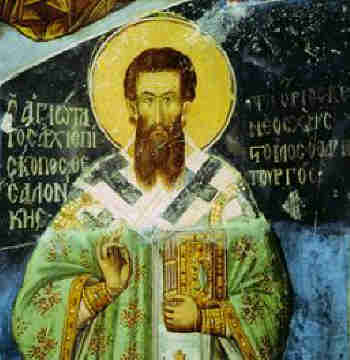
Second-Sunday-of-Great-Lent-Saint-Gregory-Palamas

When did the saint Saint Greagory of Palames lived?
 

Saint Gregory lived in the 14th century. This is also the time of the teaching of hesychasm, which we mainly associate with the personality of Sаint Gregory, but the truth is the tradition of hesychasm was an ancient tradition practiced even by apostles and every christian since the time of Christ through the centuries, traditioan that was often neglected by many through the centuries, just to be retold and shown again in the early mid centuries in 14 century.

St. Gregory was born in 1296 in a family of refugees from Asia Minor. The surname Palama indicates a noble ancestry, since at that time ordinary people had only names and nicknames. Having completed his education in Constantinople, Gregory Palamas had the reputation of a brilliant connoisseur (well knowing the phylosophy) of Aristotle.

Around 1315, he and his brother became monks on Athos. On Mount Athos, Gregory lived in various monasteries, until he finally settled in the hermitage of Saint Sava, which was attached to the Great Lavra of Saint Athanasius of Athos. Living for most of his time in this hermitage, Gregory attended the Lavra to participate in the common services and sacraments.[1]
 

Short Movie about the Cave of Saint Gregory Palama in (Beroea) Veria in Russian

Gregory later became Archbishop of Thessalonica. He died in 1359, and his memory is celebrated two times in the year in the Church calendar (as many of the saints) on November 14, as well as on today's second Sunday of Great Lent, that in 2024 falls on 30th of March.

Saint Gregory Palamas defends the position that, although unknowable in His essence, God is knowable through His external appearances, energies.

God's energies are the grace poured out by God upon His creation. Although not God in His essence, the divine energies are not something created either, "they flow eternally from the one essence of the Holy Trinity.".

The times in which Saint Gregory lived were very unrestful, the Byzantine empire has been attacked and big parts of it already conquered by the Ottoman Turks and before he before he became archibishopship of Thessaloniki has been captured by the invading turks and has lived as a captive.
He went through many hardships, lived as a hermit and wanted to live a life in total seclusion and isolation of the world, just like the ancient hermit saints, a life of continuous prayer through which he wanted to help the world and reunite himself and the world through himself with God the creator of all things.

Opponents of Saint Gregory and his teaching of Theosis were the Calabrian monk Barlaam and Gregory Akindin. According to them, the divine essence exists, its created consequences also exist, but there are no divine actions. They accused St. Gregory of distorting religious truths. The fight against saint Gregory by those two monks with heretical partly pro-scholastic ideas were also perhaps related to the partial distancing of people from true Orthodoxy because of the Unia (religios union with the Roman Catholics) and acceptence of some heretical ideas that wre already taking part in the Roman Catholic Church after the Great Schism in year 1054 in which the Eastern Church distanced from the Western Church because of both dogmatical, historical and theological reasons and most importanly the false pretencies of the Pope to be the head of the whole Wordly Church as well as the inclusion of the heretical and unknown in the ancient Church "filioque", claiming the false and unknown dogma prior to 8th century that the Holy Spirit proceeds from both the Father and The Son, something that is not in the Niceo-Constantinople Creed of Faith, decided by the Holy Fathers in the Ecumenical Councils to be the official confession of the whole church about the Dogmatical definitions of faith.
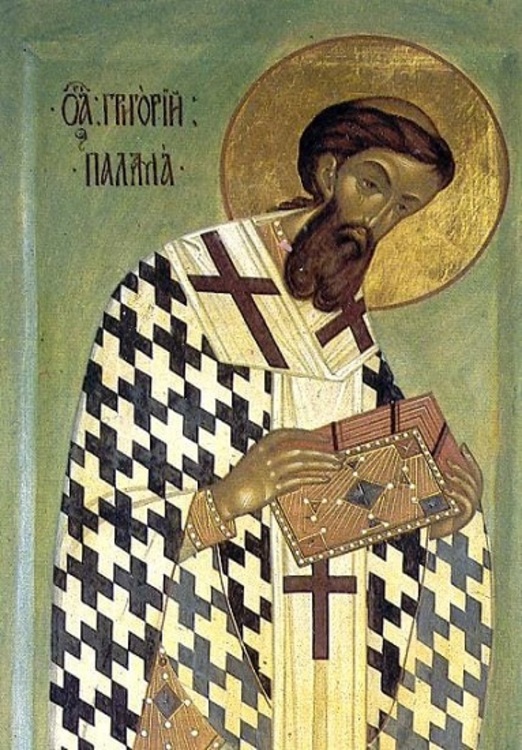
Saint-Gregory-Palama-orthodox-christian-icon-greek-wall-painting

Saint Gregory Palama

Saint Gregory's Triads

In response to Barlaam's attacks, Palamas wrote nine treatises entitled "Triads For The Defense of Those Who Practice Sacred Quietude". The treatises are called "triads" because they were organized as three sets of three treatises.

The Triads were written in three stages. The first triad was written in the second half of the 1330s AD and are based on personal discussions between Palamas and Barlaam although Barlaam is never mentioned by name.

Gregory's teaching was affirmed by the superiors and principal monks of Mount Athos, who met in synod during 1340–1. In early 1341, the monastic communities of Mount Athos wrote the Hagioritic Tome under the supervision and inspiration of Palamas. Although the tome does not mention Barlaam by name, the work clearly takes aim at Barlaam's views. The tome provides a systematic presentation of Palamas' teaching and became the fundamental textbook for Byzantine mysticism.

In response, Barlaam drafted "Against the Messalians", which attacked Gregory by name for the first time. Barlaam derisively called the hesychasts omphalopsychoi (men with their souls in their navels) and accused them of the heresy of Messalianism, also known as Bogomilism in the East. According to Meyendorff, Barlaam viewed "any claim of real and conscious experience of God as Messalianism".
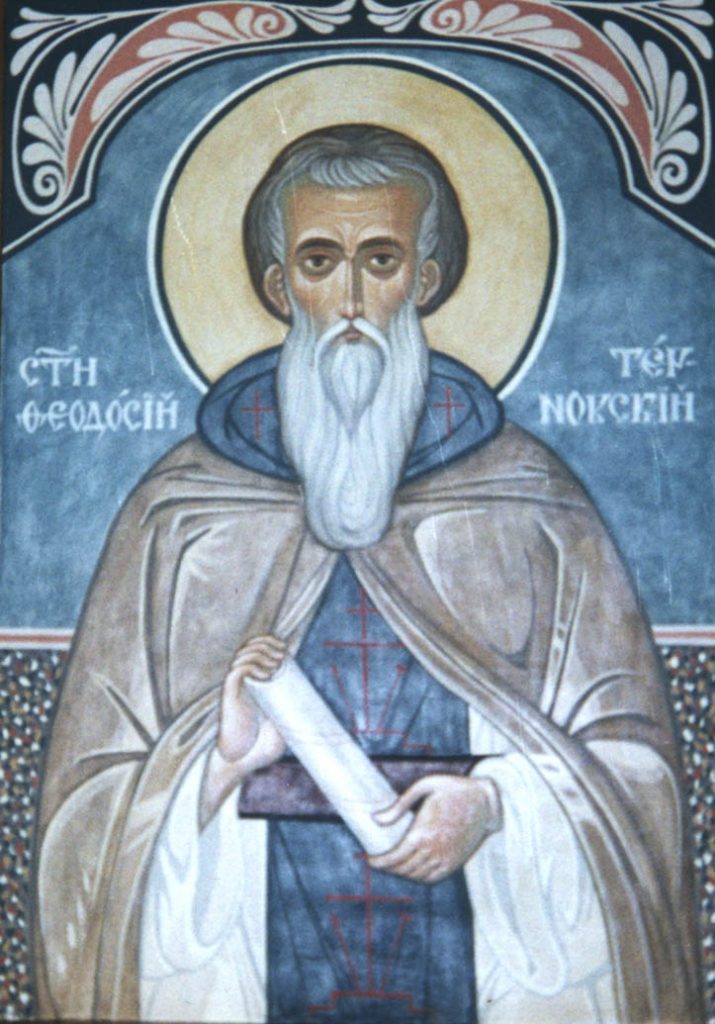
saint-Theodosious-of-Tarnovo-icon
Saint Thedosious of Tarnovo a Bulgarian saint one of the Pupils of Saint Gregory Palama and one of the main Hesychasm teacher and disperser of ancient Christian Tradition of Hesychasm within Bulgaria,
Many of his Pupils later spread the Tradition to the rest of Orhodox Newer Local Churches

Barlaam also took exception to the doctrine held by the hesychasts as to the uncreated nature of the light, the experience of which was said to be the goal of hesychast practice, regarding it as heretical and blasphemous. It was maintained by the hesychasts to be of divine origin and to be identical to the light which had been manifested to Jesus' disciples on Mount Tabor at the Transfiguration. Barlaam viewed this doctrine of "uncreated light" to be polytheistic because as it postulated two eternal substances, a visible and an invisible God. Barlaam accuses the use of the Jesus Prayer as being a practice of Bogomilism (a heretical movement that was plaguing the Church of 14th century and who has been publicly refused in Local Church council in Medieval Bulgaria organized by the Bulgarian Patriarch of that time was Theodosious, a council who was requested by the insistance Saint Theodosius of Tarnovo", due to the many heretical teachings plaguing the Bulgarian Church of that time)

The second triad quotes some of Barlaam's writings directly. In response to this second triad, Barlaam composed the treatise "Against the Messalians" linking the hesychasts to the Messalians and thereby accusing them of heresy.

In the third Triad, Palamas refuted Barlaam's charge of Messalianism by demonstrating that the hesychasts did not share the antisacramentalism of the Messalians nor did they claim to physically see the essence of God with their eyes. According to Fr. John Meyendorff "Gregory Palamas orients his entire polemic against Barlaam the Calabrian on the issue of the Hellenic wisdom which he considers to be the main source of Barlaam's errors."

As we have said, we associate the personality of St. Gregory with the teachings of Hesychasm. Hesychasm is based on man's ability to attain godlikeness (theosis).

"Worship is supernatural participation in the essential energy of God and union with Him" [3]. This assimilation to God is achieved through the incessant silent prayer (Greek's word hesychia) of the practitioner of hesychasm and the gift of divine grace, in which "man becomes all that God is, except for the essence".

To achieve hesychia, hermit-monks constantly practiced the so-called Jesus prayer ("Lord Jesus Christ, have mercy on me, a sinner!"). According to many fathers, this prayer contains the whole gospel in an abbreviated form. We must note that even today the Jesus Prayer is important in the lives of both monks and lay people. Pay attention to the fact that sometimes its use must be done with spiritual-pastoral guidance.

The vision of the Taborian light of grace, which the apostles saw at the time of the Transfiguration of their Master, is a key moment in the whole teaching of hesychasm. Most of the Fathers who speak of the Transfiguration, such as Saint Basil the Great, Saint Gregory of Nazianzus, Saint John Chrysostom, etc., assert that the nature of the light which the apostles saw on the mountain was divine and uncreated. This is exactly what Saint Gregory Palamas defended in the 14th century. This is also the proof that his teaching was not new, but the ancient teaching of the Church.

According to St. Gregory, the Light of Tabor is divine. Through it, man communicates with God, who gives him His grace. We know that the grace of God is given most fully in the sacraments of the Church. And above all, in the Holy Eucharist – communion with the body and blood of our Savior. As noted by Professor Georgi Kapriev: "Palama explains that not just nature or just the soul, but the entire hypostasis of the faithful partakes of the worshiping bread and chalice"[5].

In the end, the side of the hesychasmists wins. A council of 1341 condemned Barlaam, but nevertheless some Byzantine theologians continued to protest against Palamas' positions. However, his theology received final conciliar approval successively in 1347 and 1351, as well as posthumously in 1368, when he was canonized as a saint.[6]

In the 14th century, hesychasm was widespread not only among hermits, but also among monks from communal monasteries, and even among many lay people. It is becoming a strong international movement. From Athos, hesychasm spread to Byzantium, and from there to Bulgaria. From Bulgaria, through the so-called "second South Slavic influence", the hesychastic teaching reached Serbia, Wallachia-Moldavia and Russia.[7]

Hesychasm has an influence on the entire "worldview" of the Christian East and its artifacts. This is the time of the so-called Palaeologous Renaissance, which got its name from the ruling dynasty at the time and had its achievements in literature, visual arts and music.

Today, we Christian believers of the 21st century live in a time separated from the life and work of St. Gregory Palamas by more than six centuries. However, our respect for him and his teachings is actually a testimony to our devotion to the teachings of holy Orthodoxy.

The truths that St. Gregory expressed and maintained are valid even now. Many Monks still follow the teachings of Hesychasm and try to constantly repeat in their mind the Lord Prayer "Lord Jesus Christ Son of the Blessed God, Have Mercy on me the Sinner".


The Life of Saint Gregory Palamas and his Teaching on Hesychasm and Theosis 

Today we also need the grace of God, our Creator. Without it, we would become barren trees that would be of no use (cf. Luke 3:9).
Let us more often proceed to prayer and observance of the evangelical commandments for active love for our neighbor. May our communion in the Church of Christ by means of the holy sacraments not cease.
And above all, let us proceed to the holy Eucharist, which is given to us by God "for the good and sanctification of our souls and bodies"[8].

Sources
https://dveri.bg
(Article Source Text in Bulgarian by Priest Ivaylo Borisov)

[1] Cf. Meyendorff, John. Introduction to patristic theology (lecture course for seminaries).

[2] Loski, V. An Essay on the Mystical Theology of the Eastern Church., S., 2005, p. 71.

[3] Kapriev, Greek Byzantine philosophy. Four centers of synthesis. S., 2001, p. 289.

[4] Ibid.

[5] Ibid., p. 294.

[6] Cf. Mayendorf, J. Byzantine Theology. S., 1996, p. 102.

[7] Cf. Kuyumdzhieva, S. Old Bulgarian music. S., 2011, pp. 90-91.

[8] From the first thanksgiving prayer after Holy Communion.
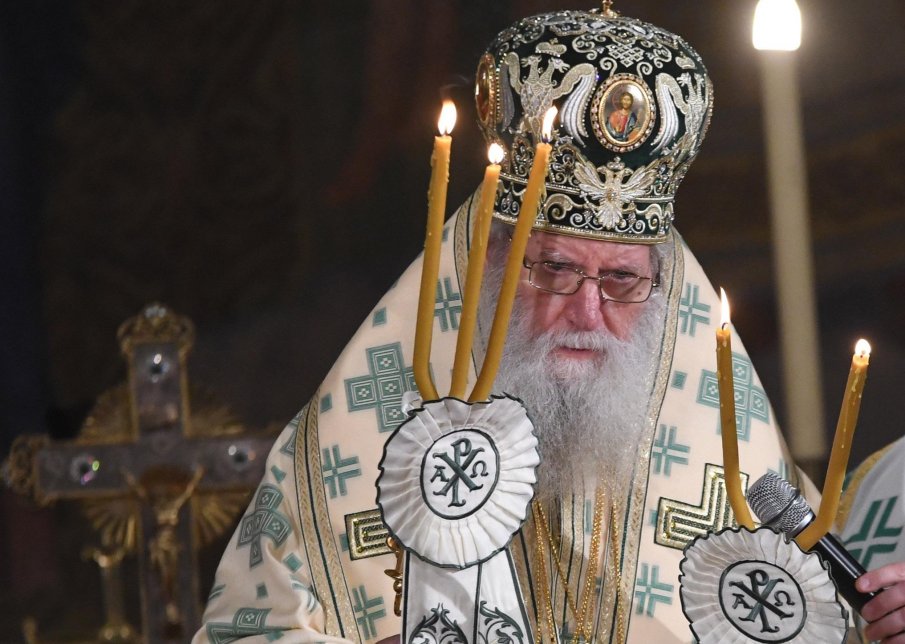
A Biography of one big Heart + His Holiness Patriarch Neophyte (Neofit) head of Bulgarian Orthodox Church

Friday, March 22nd, 2024


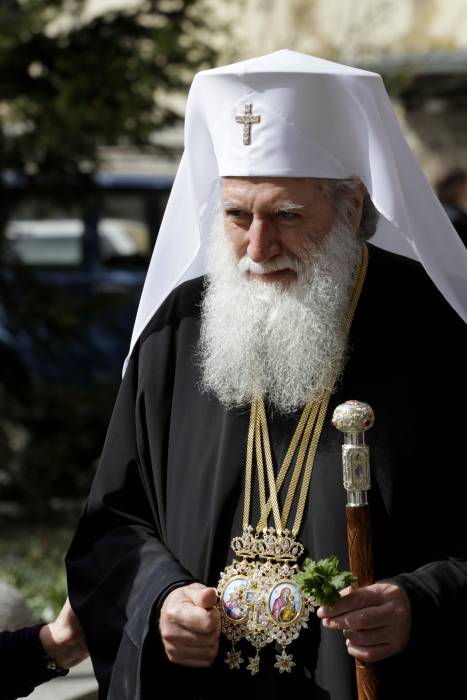
His-Holiness-Patriarch-Neofitos-with-Dikiri-and-Thrikiri-blessing-the-people

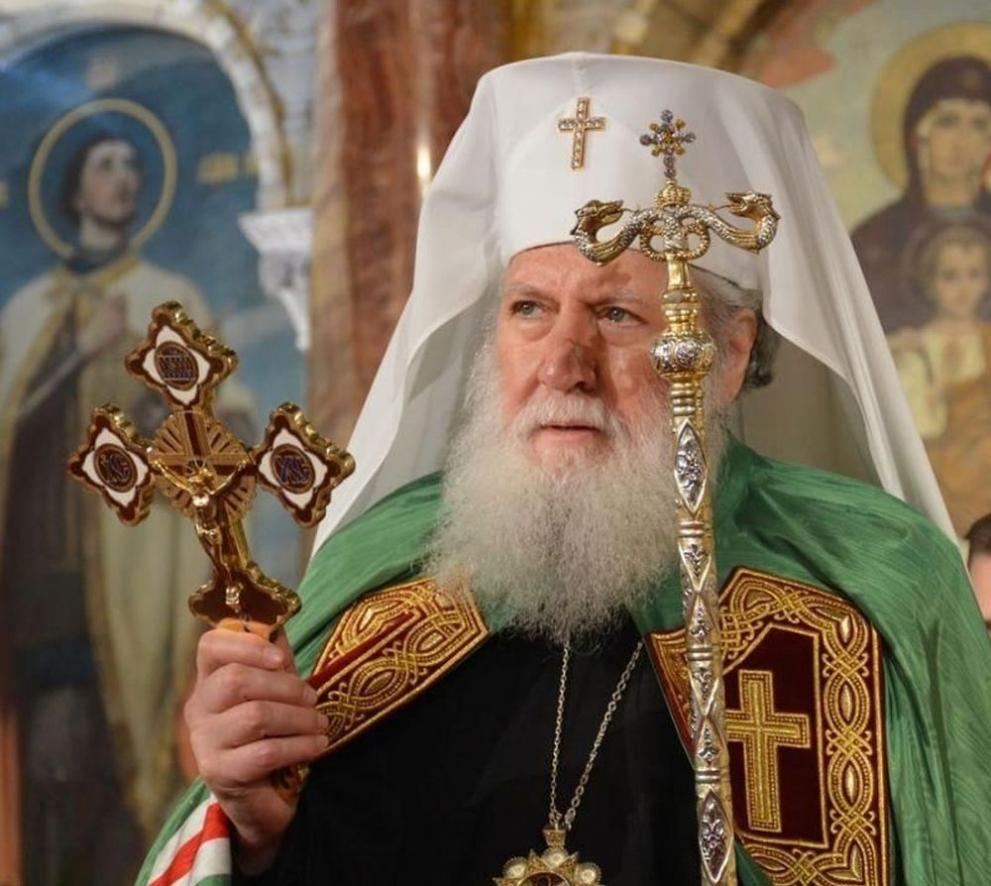
Patriarch Neophyte (Simeon Nikolov Dimitrov) was born on October 15, 1945 in Sofia from a highly pious family. His father was a simple railway man and his mother a maid (cleaner). His Mother was a famous in the Church as a good christian who was singing on the Church choire in some churches and had a great perseverance and love for the Christian faith, she was the one to push further his two boys Simeon and Dimitar to take the spiritual path within the Orthodox Church. One of them the older brother Dimitar Nikolov Dimitrov to later become A Proto-Psalt and Director and Head of Sofia's Saint Alexander Nevsky Cathedral Church choire for many years (the most prestigious place for people who graduated Church music) and the other to become our 7th Patriarch in order from the times of Physical Liberation of Bulgaria From Turkish Slavery and Spiritual liberation from the dictatorship of the Greek Orthodox Church with the restoration of the Bulgarian Church with the Bulgarian Exarchate.

 At the age of twenty in 1965, he graduated from the Sofia Theological Seminary "St. Ioan Rilski / Saint John of Rila"  (then the seminary moved due to communist party decision) at the Cherepish station nearby the Cherepish monastery, Vrachansko. He served two years of military mandatory service, and in 1971 he graduated from the Theological Academy "St. Kliment Ohridski".

After his specialization at the Moscow Theological Academy in Russia, where he received the title of "Candidate of Theology (COT)" in Church Music (COT equal to our Bulgarian "Phd / doctor") , in 1973 he was appointed a teacher of Choral Church Singing and became the conductor of the student choir at the Theological Academy.

Archimandrite-Gelasij-of-new-York-later-picture-as-metropolitan-of-New-York-America

He began his monastic journey under the Spiritual eldership of Archimandrite Gelasius then abbot of the Troyan Monastery.

His monastic ordination in monkship was performed on August 3, 1975 by the previous Bulgarian Patriarch Maxim on the feast of Assumption of the Virgin Mary, August 15, 1975 , he was ordained to the rank of hierodeacon immediately, on March 25, 1976, Annunciation, he was raised in the Church hierarchy to hieromonk, and on November 21, 1977 ., Presentation of the Theotokos (The Entry of Most Holy Theotokos into the Temple), was raised to the Archimandrite dignity.

He then was assigned the obedience to be Protosyncellus (Protosingel) of the Sofia Metropolia in years 1981 to 1985.

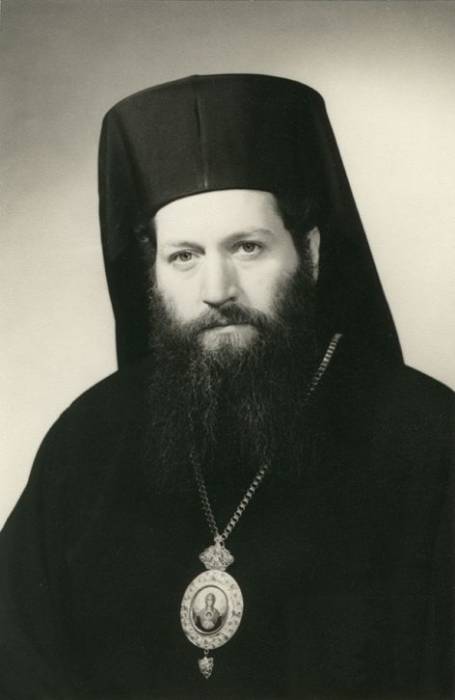
His-All-Holiness-Patriarch-Neophytos-picture-as-young-Bishop-Levkijski-of-Bulgarian-Orthodox-Church

On December 18, 1985, he was ordained as the Bishop of Lefkias (Levkijski) a title earlier held by the all famous Levkijski Bishop Partenius (Partenij)  in the Patriarchal Cathedral "Saint Alexander Nevsky" and was appointed as vicar  bishop of the Metropolia of Sofia.

In 1989, he became rector of Sofia Theological Academy part of (Sofia University at that time), and in July 1991, when the Theological Academy returned to be the pre-revolutinary Faculty of Theology of the Sofia University "St. Kliment Ohridski", was elected the first dean of the restored Faculty of Theology.

His-Holiness-Neophytos-picture-as-Metropolitan-of-Ruse

Since January 27, 1992, he has been the chief Secretary of Holy Synod (A prestioug position) until March 27, 1994, when Bishop  Neophyte was elected Metropolitan of Dorostolo-Cherven.eparchy (which is now separated in two separate aparchies (The Eparchy of Ruse and Eparchy of Dorostol – the ancient Roman area Dorostorum)  

By decision of the Fifth Church-People's Council in 2001, with the consent and approval of the Holy Synod Assembly of metropolitans, the diocese was divided into two (the Dorostol diocese was separated with the city of Silistra -the Ancient Istrum (Histria ancient city) and he began to be titled Metropolitan of Ruse.
In the function of metropolitan he has won the respect of both church and authorities.and he was given the respectful medal "Respected citizen of Ruse".

In 2008 metropolitan Neophyte received the very prestigious academic title "doctor honoris causa" of the Sofia University "Saint Kliment Ohridski". More about it here.

His-All-Holiness-Patriarch-Neophytos-Patriarch-of-Bulgaria-and-Metropolitan-of-Sofia

On 22 June 2010 he was given a medal "St. St. Cyril and Methodius" as a respectful act for his big contribution to development of Bulgarian Music and Culture.

On February 24, 2013, a Patriarchal Electoral Church Council was convened in Sofia and the people and all people were mostly troubled on who will be the next Patriarch in this muddy times.

Soon after his arise to patriarchical throne in 2013 he was given another medal he received "Glory and Honour" in 2013 by Russian Orthodox Church.
Every Church member of that time was troubled about the future of the Bulgarian Orthodox Church, and everyone felt a big relief as The Synodal Elders elected Metropolitan Neophyte of Ruse to become the 7th Patriarch of Bulgaria after the restoration of the BPC-BP Bulgarian Church (Bulgarian Patriarchate) after so many years of being under the yoke of Byzantine Church and after liberation of Bulgaria, due to politics delicions and the harsh and anti-bulgarian activities of the Greeks in attempt to own the Church the church suffered its schism and returned its full communion to the family of national members of Holy Eastern Orthodox Church.
After his election His Holiness Patriarch Neofit is titled  Metropolitan of Sofia.and Patriarch of Bulgaria.

Patriarch-Neophyte_signature-podpis

His-Holiness-Patriarch-Neophytos-head-of-Bulgarian-Orthodox-Church

Patriarch Neophyte has the fame of being one of the best church singers in Bulgaria and one of the best and most famous Church Hymns has been circulating throughout the public space the Internet / TV and Radio for the last 10+ years as they are invaluable due to the unique voice qualities of the Patriarch. I guess there is no person in Bulgaria and outside of it who did not heard his Paschal (Katavasia and Stychorions) Hymns.

Resurrection of Christ Katavasios and Stychorion Playlist with Patriarch Neophytos (Sung) Famous Eastern Orthodox Hymns Patriarch Neofit passed away on 13 of March 2024 after a months of sickness after being hospitalized on 29 November 2023 in VMA (Army Medical Academy) due to pulmonary disease (later to understand it is a cancer in its latests stages). In his last days in hospital, the Holy Synod summoned all the Churches and people to pray fervently for the quick recovery of the patriarch through a miracle.
Patriarch Neofit passed away silently his clean holy Soul to Christ on 13 of March 2024
His brother Proto-Psalt (associated professor) Dimitar also passed on on 11 January 2024.

Protopsalt-Dimitar-associated-professor-in-Music-Director-of-st-Alexander-Nevsky-Choire
Patriarch Neophytos and his brothre Proto-Psalt Dimitar

Protopsalt Dimitar Dimitrov a brother of the Patriarch passed just 2 days after a famous Metropolitan of Joanichius has passed away to Christ on 9 January 2024 in 82 years of old.

His-Holiness-Mitropolit-Ioanikij-JoanichiusSlivenski
His Holiness Metropolitan Joanichius


Patriarch Neofit and Metropolitan Joanichius

The personality of Patriarch Neophytos was non-conflict, a lover of peace and compromises, anti-war (i would say pacifist in modern terms) and was among the few patriarchs not being in fear or influenced by the overall Church politics of the Russian Church and he publicly condemned the war as a great evil in his Theophany preach.

"The Lord God and the Holy Church bless only that army that does not show aggression, and whose sole purpose is to protect and defend its people and country within its internationally recognized territorial borders," said the patriarch for the feast of Epiphany water sanctification and sprinkling of battle flags.

The patriarch position was to try to reconcile the clergy and try to heal the misunderstandings and human conflicts between his God given flock of Priest, Monks, Bishops and Clergy with true fatherhood love, prayer and a lot of patience that we the people of 21 century miss so badly.
With a lot of sadness we send our beloved Patriarch Neophytos (Neofit) of Bulgaria to the All Mighty God and Pray if he has received a Grace from God to Pray fervently and Always for us his poor pupils and childs!

his-Holiness-Patriarh-Neofit-treti-mart-pic

God Have Mercy on the Soul of Patriarch Neophytos ! Blessed and Eternal to be his Memory ! Amen !

Saint Martyr Kirana of Solun (Thessaloniki) a Bulgarian macedonian saint martyred on 28 February 1751

Tuesday, February 28th, 2023

saint_Kyranna-of-Thessaloniki

Saint Martyr Kirana (Kerana) was born in the first half of the 18th century 1731 A.D. in the Thessaloniki village of (Ossa) Avisona, in the family of pious Christians in Ottoman Macedonia which at that times was highly inhabited with Bulgarians who held that name of the time, and even today many Bulgarian have this archaic name.

A slim and beautiful girl, she was taken by a janissary (stolen kids from Bulgarian or other non-turkish nations who were grown and included in the Ottoman empire’s governance or army) who was a subashiya (tax collector who collected 10% of all the non-turks income) in her village with the idea to make her one of his wifes. After Kirana rejected him, he abducted her with a gang of janissaries.

He took her to Thessalonica, where his friends testified falsely that the girl had promised to become his wife and accept their faith. Kirana proved to be a brave and steadfast Christian – she neither wanted to marry the rapist nor convert to Islam. Because of this, she was chained and thrown into prison. The commandant of the fortress, Ali Bey, allowed the janissaries to enter to Kirana’s prison and torture her as they wished. As we read from her left Biography:

"One beat her with a tree, – another – with a knife, a third – with kicks, a fourth – with fists, until they left her near dead…

And at night the locksmith of the prison hung her by the arms and grabbed any tree found and beat her mercilessly…".


sveta_Kiriana-Solunska

Thus, for a week, Kirana was severely tortured. On the seventh day (February 28, 1751) she died. And then a miracle happened –

28-02-crkvensveta-Kiranna-Solunska-ikona

"… a great light shone in the prison, came down from above from the roof like lightning, which surrounded the body of the martyr, spilled over the whole prison and illuminated it as if the whole sun had entered inside. It was then the fourth or fifth hour of the night (t . f. 10-11 o'clock at night)." In the morning, the Turks allowed the Christians to take the body of the martyr. They buried her outside the city, in the Christian cemetery there. Her clothes were divided among the faithful as sacred. Later, an unknown scribe compiled her life in Greek. The Church honors the memory of the holy martyr Kirana and commemorates her on February 28.

Biography source: Plamen Pavlov, Hristo Temelski Saints and spiritual leaders from Macedonia with minor modifications

iSH, the best free SSH / Telnet client for iOS iPhone, iPad equivallent of MobaXterm and fully functional Alpine Linux emulator

Wednesday, February 8th, 2023

ish-linux-terminal-emulator-for-iphone-ipad-ios-logo-screenshoticon

Since few months I've switched my old BLU r1 HD Phone (a great old low budget phone for its price) to a friend's iPhone 10 ( X ) who gifted it for me. Coming from Android world, everyone who has experience with it is a pain in the ass as some of the Apps, which are into Google's play store does not have the same equivalent into Apple's install Package manager tool AppStore. Some of the crucial tools which I was interested as a freshly new migrated user from Android to iPhone was to have a decent SSH / Telnet client and Terminal, with which I can easily connect to my Linux servers both home and work. 

As Android Phone user, to connect and manage my SSH sessions I used most often some of the most popular Connectbot / SSHDroid / JuiceSSH.
On Android I've usually installed all of these tools but most frequently used Connectbot, which quickly become my favourite SSH client for Android over time.

The reasons why I really loved Connectbot and used it on Android OS in short:

  • It is Completely free
  • Ad-free
  • Open-source (too bad not Free software but still step better)
  • Copy and paste text between Applications
  • Customizable interface (i.e. font size, keyboard layout, SSH auth agent, etc.)


connectbot-android-ssh-remote-connect-client-screenshot

I've seen some people used and preferred Termius but never myself really liked this client, as it was including some Advertisements or for don't remember why reason.
Switching to iOS mobile operating system, of course was quite a shock especially the moment I found out the standard loved SSH Remote Client programs are used are not available or have only a paid version. Thus it took me quite a while of a research and googling until I found some decent stuff.
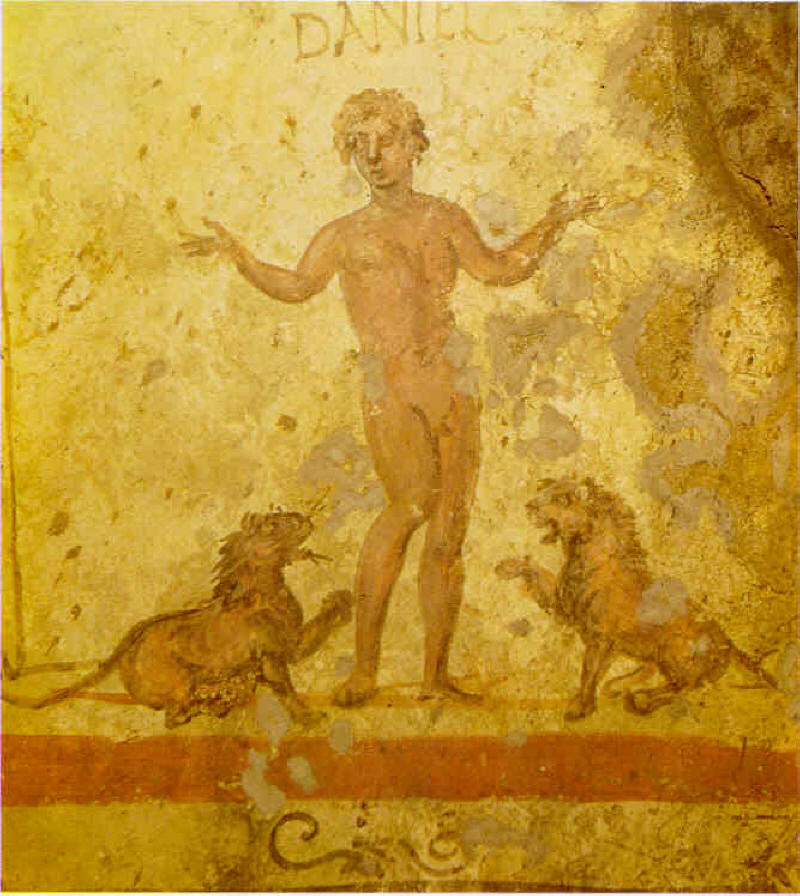
termius-ssh-telnet-client-ios-screenshot

Tried for a time with Termius as well but again, its Ads and lack of some functionality pissed me off, so I've moved on to Shelly.

shelly-iphone-ssh-telnet-client-ios-screenshot

Shelly is really not a bad tool but has limitation over the SSH sessions you can add and other limitations, which can only be unlocked with an "Upgrade", to its paid version, thus I decided after few weeks of attempts to make it my remote server management mobile tool for iPhone, I've dropped it off as well.

Then I found the Blink Shell App – Blink Shell is a professional, desktop grade terminal for iOS. As overall the tool is really great and is easy to use but again to have it used in its full power you need the paid version and until you pay for it every now and then you got interruption of your shell for some really annoying ads.
Thus even though I used it for a times this few tools with whom basicly you can do basic remote ssh / telnet session operations eventually,  started looking for a better SSH Client Free alternative for iPhone Users.

Then came a friend at home for a dinner my dear friend Milen (Static) and he show me iOS.
The moment I saw this tool I totally loved it, for its simplicity and its resemblance to a classical TTY Physical old Linux console I used back in the days and its ability to resemble easily any improved functionaltiy through simple screen (multiple session management) command tool or tmux.

Wait, what's iSH ? And why it is the Best SSH / Telnet client to manage your servers remotely on iOS Mobiles (iPhone and IPads) ? 

iSH is a project to get a Linux shell environment running locally on your iOS device, using a usermode x86 emulator.


In other wors iSH is Linux emulator with busybox and a package ports for many of the standard Linux tools you get by simple apt-get / yum or if I have to compare you get via the MobaXterm's advanced apt-cyg (Cygwin packages) tool capabilities.

Once iSH is installed it comes with pre-installed apk command line package management tool, with which you can install stuff like openssh-client / screen / tmux / mc (midnight commander) etc. apk, is an apt like command like tool which uses as a basis for installing its packages Alpine Linux repositories.
Alpine Linux is perhaps little known as it is not one of these main stream disributions, such as Fedora or Ubuntu, but for those more concerned about security  Alpine Linux is well known as it is a security-oriented, lightweight Linux distribution based on musl libc and busybox. What makes the Linux even more attractive and perhaps the reason why the iSH developers decided to use it as a basis for their iSH emulator is it being actively developed and its tightened security makes it a good compliment to the quite closed and security focused mobile platform iOS.

iSH is available straight from AppStore , so to use it install it and run it (it is really a great news that iOS does not require iphone to be jailbreak – ed, and it is an ordinary installable software straight from AppStore):
iSH, already comes with some of the standard programs you would expect in a Linux environment such as Vi, wget, zip / unzip, and tar.
However to fit it better for my use over ssh and improve its capabilities, as well as support and use multiple Virtual windows ssh, just like you do on a Linux xterm
run from ish shell: 

# apk add openssh-client
# apk add screen
# apk add vim
# apk add mc


ish-screenshot-terminal3-linux-emulator-iphone-alpine

ish-screenshot-terminal2-linux-emulator-iphone-alpine

ish-screenshot-terminal1-linux-emulator-iphone-alpine-linux

I also like to have a Midnight Commander and VIM Text editor installed out of the box to be able to move around in Ncurses interface through my iPhone.

ish-iphone-keyboard-key-shortcuts

Note that, just like most GNU / Linux distributions, iOS shell will run a normal bash shell.
From there on to use iSH as my default SSH client and enable my just installed GNU screen some Windowing beauty for readability whence I use the screen with multiple ssh logins to different servers as well make the screen Virtual consoles to have ability for scroll back and scroll up of console text to work, I do set up the following .screenrc inside my /home/iPhoneuser

The .screenrc to setup on the iSH to easify your work with screen is as follows:
 

# An alternative hardstatus to display a bar at the bottom listing the
# windownames and highlighting the current windowname in blue. (This is only
# enabled if there is no hardstatus setting for your terminal)
hardstatus on
hardstatus alwayslastline
hardstatus string "%{.bW}%-w%{.rW}%n %t%{-}%+w %=%{..G} %H %{..Y} %m/%d %C%a "
# Enable scrolling fix the annoying screen scrolling problem
termcapinfo xterm* ti@:te@
# Scroll up
bindkey -d "^[[5S" eval copy "stuff 5\025"
bindkey -m "^[[5S" stuff 5\025

# Scroll down
bindkey -d "^[[5T" eval copy "stuff 5\004"
bindkey -m "^[[5T" stuff 5\004

# Scroll up more
bindkey -d "^[[25S" eval copy "stuff \025"
bindkey -m "^[[25S" stuff \025

# Scroll down more
bindkey -d "^[[25T" eval copy "stuff \004"
bindkey -m "^[[25T" stuff \004

You can download the same .screenrc file from here straight with wget from the console:

# wget https://www.pc-freak.net/files/.screenrc


Run GNU screen manager


 # screen

You will end up with a screen session, to open a new session for Virtual Terminal use virtual keyboard from ISH and Press

CTRL + A + C

To open other Virtual Windows inside screen just press CTRL + A + C as many times as you need it, each session will appear ina small window on the down corner as you can see in screenshot

ish-terminal-with-screen-multiple-virtual-terminals-screenshot-iphone-ios

To move across the Screen unnamed 3 Virtual Windows 0 ash 1 ash and 2 ash use the Virtual keyboard

for next WIndow use key combination:
 

CTRL + A + N (where + is just to indicate you have to press them once after another and not actually press the + 🙂 )


For Previous Window use:

CTRL + A + P

Or use CTRL + A and type 

:number 3 (where number is the number of window)

The available iSH commands without adding any further packages which are part of the busybox install are as follows:

Available /bin/ directory commands:

arch  ash  base64  bbconfig  busybox  cat  chgrp  chmod  chown  conspy  cp  date  dd  df  dmesg  dnsdomainname  dumpkmap  echo  ed  egrep  false  fatattr  fdflush  fgrep  fsync  getopt  grep  gunzip  gzip  hostname  ionice  iostat  ipcalc  kbd_mode  kill  link  linux32  linux64  ln  login  ls  lzop  makemime  mkdir  mknod  mktemp  more  mount  mountpoint  mpstat  mv  netstat  nice  pidof  ping  ping6  pipe_progress  printenv  ps  pwd  reformime  rev  rm  rmdir  run-parts  sed  setpriv  setserial  sh  sleep  stty  su  sync  tar  touch  true  umount  uname  usleep  watch  zcat  


Available /usr/bin/ commands:    

awk  basename  beep  blkdiscard  bunzip2  bzcat  bzip2  cal  chvt  cksum  clear  cmp  comm  cpio  crontab  cryptpw  cut  dc  deallocvt  diff  dirname  dos2unix  du  dumpleases  eject  env  expand  expr  factor  fallocate  find  flock  fold  free  fuser  getconf  getent  groups  hd  head  hexdump  hostid  iconv  id  install  ipcrm  ipcs  killall  ldd  less  logger  lsof  lsusb  lzcat  lzma  lzopcat  md5sum  mesg  microcom  mkfifo  mkpasswd  nc  nl  nmeter  nohup  nproc  nsenter  nslookup  od  passwd  paste  patch  pgrep  pkill  pmap  printf  pscan  pstree  pwdx  readlink  realpath  renice  reset  resize  scanelf  seq  setkeycodes  setsid  sha1sum  sha256sum  sha3sum  sha512sum  showkey  shred  shuf  smemcap  sort  split  ssl_client  strings  sum  tac  tail  tee  test  time  timeout  top  tr  traceroute  traceroute6  truncate  tty  ttysize  udhcpc6  unexpand  uniq  unix2dos  unlink  unlzma  unlzop  unshare  unxz  unzip  uptime  uudecode  uuencode  vi  vlock  volname  wc  wget  which  whoami  whois  xargs  xxd  xzcat  yes  


If you're a maniac developer you can even use iSH, to do some programs development with vim with Python / Perl or PHP as these are available from the Alpine repositories and installable via a simple apk add packagename for security experts nmap and some security tools are also available but unfortunately not everything is still working as this project is in active development and iOS has some security limitations if OS is not ROOTED 🙂

Hence some of the packages you can install via apk manager will be failing actually.
There is a list of What works and what doesn't still on iSH on the project github wiki check it out here.

There is much more funny stuff you can do with it, and actually my quick research on how people use iSH on their phones lead me to some Videos talking about iOS and Ethical hacking etc, but I'll stop here as I dont have the time to dig deeper to it. 
If you know or have some good use of iSH or some other goody you are using as a hack please share in comments.

Enjoy ! 🙂

Saint martyr Angel of Lerina – a Bulgarian saint confessor and the Day of Saint Archangel Michael and of all Angels Archangels and Heavenly Powers

Wednesday, November 9th, 2022

saint_archangel_Michaill_Joanikij_papa_Vitanov_1820_Trjavna_Bulgaria

Saint Archangel Michael (Church of Saint  Archangel Michael Tryavna, Bulgaria) iconographer Yoanikij Papavitanov

On 8th of November in the Bulgarian Orthodox Church, we celebrate the day to remember the gathering of Archangel Michael with all the Angels Archangels, Cherubims and heavenly powers that have kept loyal to the Holy Trinity God – The Father, The Son, and The Holy Spirit.
The same arch-angels and powers who could do what they want and were created in the beginning of time after God as a helper Spirits to God and man.

The same angels are also supporting the whole universe with their deeds of love. They sustain the waters, make the wind blow, the clouds to move and give rain, the earth to give its fruits, possess and give wisdom or transfer secret messages from God to man when sent.

Others do protect all Christians and people from the evils of the fallen-agels who choose to misobey the True God Christ and follow the master of the evil spirits whose place is in the burning Gehenah and whose time is running out. 

They help the woman in birth-pain (like my sister Stanimira whose time to give birth is approaching), the make the organism of man to function properly. Or give the physics to make the stars shine on heaven, the Planet and heavenly bodies to move. Each and every place and Country and Church has its own guardian angels. And they're of a Big multitude the Church fathers says a lot about the Angels and many is still unknown and will be revealed in the that everyone will stand on the Judgement day in front of God and sees the Heaven and Hell realities and will stumble in fear seeing the gloriness of the archangels and cherubs (burning out of Love for God and man) made in a likeness of the Holy God.

The orthodox Church sticks clearly to the teaching of so called saint Dyonisious the Areopagites (often called in the Theology Pseudo Dyonisious), who was one of the important apostles of Christ, Athenian judge at the Areopagus Court in Athens, who lived in the first century. A convert to Christianity, he is venerated as a saint by multiple denominations.


The writings of Saint Dionysius the Areopagite hold great significance for the Orthodox Church. Four books of his have survived to the present day:


On the Celestial Hierarchy, On the Ecclesiastical Hierarchy, On the Names of God, On Mystical Theology

In additional, there are ten letters to various people.

The book On the Celestial Hierarchies was written actually in one of the countries of Western Europe, where Saint Dionysius was preaching. In it he speaks of the Christian teaching about the angelic world. The angelic (or Celestial-Heavenly) hierarchy comprises the nine angelic Ranks:

  • Seraphim
  • Cherubim
  • Thrones
  • Dominions
  • Powers
  • Authorities
  • Principalities
  • Archangels
  • Angels


The account of the Synaxis of the Bodiless Powers of Heaven is located under November 8.

saint-Agatangel-Bitolski-Bulgarian-saint-icon

The purpose of the divinely-established Angelic Hierarchy is the ascent towards godliness through purification, enlightenment and perfection. The highest ranks are bearers of divine light and divine life for the lower ranks. And not only are the sentient, bodiless angelic hosts included in the spiritual light-bearing hierarchy, but also the human race, created anew and sanctified in the Church of Christ.
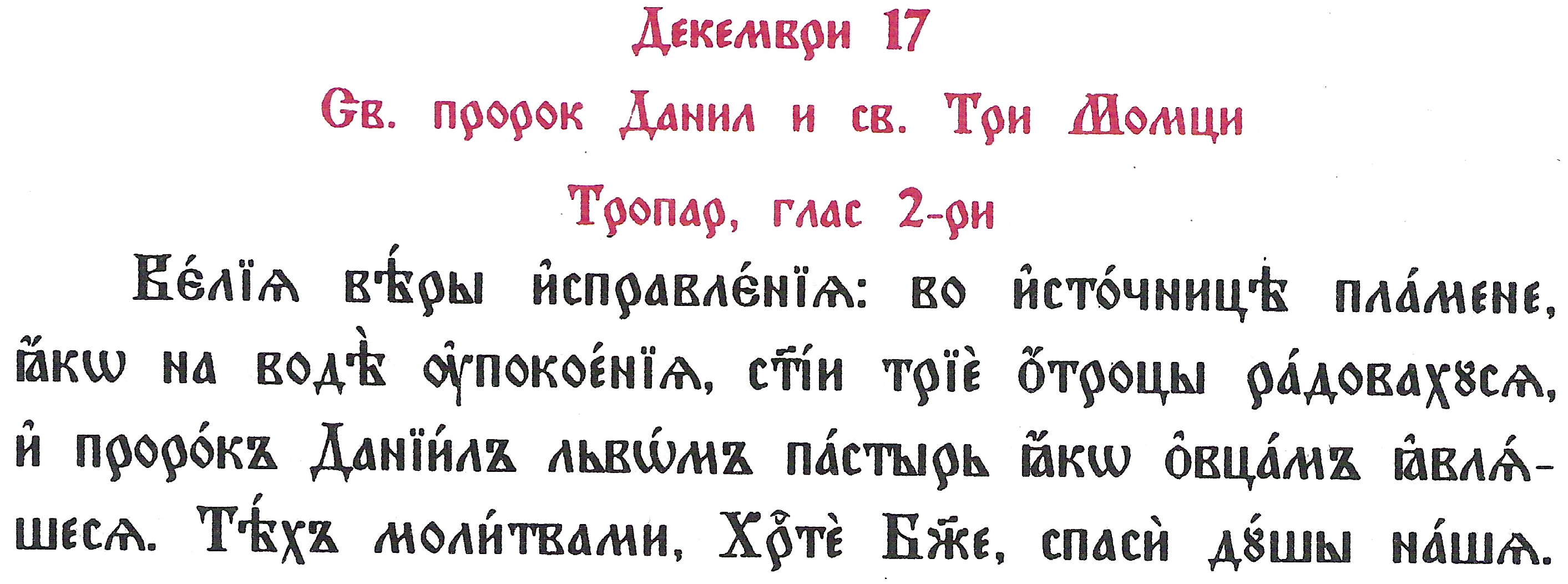
There is too much to be said about Angels, Archangels, through the years from ancient times, they can heal and help, and grant special powers to man and many, many more. There were innumerable heresies who have over-deified heavenly powers, especially gnostics and that is a well known fact. For those who want to read about Angels, and their hierarchy there is a lot ot read and learn, angels has helped the saints in their hardship in fight with evilness, there is really a lot about this for those who want to further learn. 
But what is less known is here in today's relatively small country of Bulgaria, we have a local saint Angel of Lerina who is born in Bulgarian family and stems from a Bulgarian village. As his endeveour and confession of his love for Christ and the Church was enormous he has suffered martyrdom for Christ in the 17th century during the times Bulgaria was enslaved by the Ottoman Turks. Thus as there is not much written about saint Angel Lerinski (Lerina), I dedicated this small article in glory of his memory. The article is also in memoriam of my grand-grand-grand Father who was also named Angel himself, perhaps in glory of Saint Angel of Lerina.
The Life of Saint Angel of Lerina


Saint-Angel-Agathangel-of-Lerina-orthodox-icon

Saint New Martyr Angel of Lerina (Bitolski) – picture source Wikipedia

All the sources about the holy martyr Angel of Lerinsky that we have reached cite the story of Saint Paisius of Hilendar as the main source for the life of the new martyr, called Angel or Agathangel. This is what St. Paisius writes about him in the History of Slavonic Bulgaria":
           "In 1750, in Bitol, where the Turkish and Macedonian Pasha sits, the Turks tortured and beheaded a young man, handsome in face and stature, for the Christian faith. Many forced and tormented him to renounce Christ, but he wisely and courageously denounced their godless faith. The Bishop of Bitola recorded many of his answers, described his sufferings in Greek. And God showed a great sign over his powers. His name was Angel from the village of Lerin. This holy martyr Angel shone in our time in the Bulgarian land."
          The Bulgarian Orthodox Church honors the holy new martyr on November 8, the feast of the holy Archangels. Probably the veneration of the saint in our church dates from the time when he was martyred, because his martyrdom was described by Saint Paisius of Hilendar immediately after it happened, since Saint Paisius was his contemporary.

          Greek information about the new martyr Angel Lerinski appeared only in recent years.

In the electronic version of "Οι Νεομάρτυρες της Булгариас" (New Martyrs Bulgarian) Αρχιμανδρίτου του Οικουμενικού Θρόνου Θωμά Ανδρέου Ιεροκήρυκος Ιεράς Μητροπόλεως Ελευθερουπόλεως (Archimandrite of the Ecumenical See Thomas Andreu, Preacher of the Eleftheroupolis Holy Metropolis), Kavala, 2011, p.88, we read :

         "Another case of a new martyr of Greek origin is that of Angel (or Agatangel) from today's Florina (in Bulgarian Lerin). The 2009 calendar of the Holy Metropolis of Florin, Prespa and Eordei honors this new martyr, who was martyred in the monastery of Pelagonia (now Bitola, Macedonia) on February 17, 1727*. The book "History of Slavonic Bulgaria" by Paisiy Hilendarski talks about the martyrdom of the new martyr ("his name was Angel or Agatangel and he was from the village of Florina")

Saint-Agatangel_Bitolski-Greek-icon

…..
          Little is known about the new martyr. We know that he was born in 1732 in Florina, in the sanjak (prefecture) of Bitola (Monastery). When he grew up, he became a tall and handsome young man. At the age of 18, the Turks tried to convert him to Islam, but Angel – although very young – did not succumb to the temptations and then bravely accepted martyrdom. In his book Paisius Hilendarski mentions that: "In 1750 in the monastery… the Turks tortured and slaughtered a handsome young man because of his Christian faith… His name was Angel and he was from the village of Florina" His testimony in the monastery was attended by the local Greek metropolitan, who described his courage and the intelligent and logical answers he gave in court. Due to the fact that he condemned the Muslim faith with particular wisdom and courage, he was beheaded when he was only 18 years old in 1750. The Bulgarian Orthodox Church honors his memory on November 8, during the Feast of the Archangels…."

          Additional information about the holy new martyr Angel Lerinsky can be found on one of Florina's sites (http://agiospanteleimonas-florina.blogspot.com/2010/06/blog-post_8186.html.)


          The Metropolitan of Florini, Prespa and Eordaia, Theoclitus, addresses the citizens on the occasion of the decision to start the veneration of the holy martyr Agathangel of Florina (June, 2010):

          "With special feelings of joy, emotion, holy contentment and reverence, I turn to you, the blessed children of the Greek Macedonian land, to become participants in the great spiritual joy experienced by our local Church for the first official celebration of the memory of the holy new martyr Agathangel in the seat of our metropolis Florina. It is already known to all of you. that the holy new martyr Agathangel, martyred in the Pelagonian monastery, originated from Florina, is our fellow citizen. At an early age he left Florina and went to Vutelion of Byzantium, to the monastery, seeking better living conditions. There, exercising the profession of shoemaker, he soon distinguished himself by his honesty and his diligence. …. But what distinguished him from the young people of his time was the pure and firm faith he had in Christ and in His "orthodox church". He loved Christ more than anything else in his life. No other love could "steal" the love that Agathangel had in his heart for Christ, he loved Him simply, purely, with all his heart, with all his strength, he loved Him as his poor parents and his blessed ancestors loved Him.
         

Along with the love for Christ, the saint had love for his homeland, conquered Macedonia. Almost four hundred years of slavery count the long-suffering "Greek Macedonians".
The Turkish conquerors treated them with cruelty. Sometimes with flattery, sometimes with threats, sometimes with violence, they try to make them change their faith. To deny Christ. To renounce the Orthodox faith and become Muslims.
And whoever renounces his faith renounces his homeland.

          Agathangel's heart was troubled by the fact that several of his fellow Roman Christians did not withstand the temptations or the violence, denying Christ and the country. His brave heart rebelled. He could not bear the Orthodox faith to be dishonored. For this, when during the three-day Bairam, which is celebrated after Ramadan, the forced conversion of the Orthodox increased, this young boy, not yet twenty years old, went to Constantinople, where he received a Sultan's firman, which forbade the forced conversion in the area of ​​Pelagonia.

On his return to the Monastery, the saint was arrested by those outraged by the Turkish Sultan's decision, and after cruel torture, he was beheaded on February 17, 1727.

           In a meeting we held in the Holy Metropolis, in which, in addition to the Metropolitan, the Honorable Prefect of Florini Mr. Ioannis Voskopoulas, the Mayor of Florini Mr. Stefanos Papanastasiou, the President of TEDC of N. Florinis, Mr. Dimitrios Iliadis, and the President of the monasteries of N. Florinis, Mr. Theodoros Vosdou, decided to jointly hold events in honor of the holy new martyr Agathangel…”

* 1727 is mentioned as the year of the martyrdom of St. Angel Lerinski in some sources, and sometimes it is mentioned together with 1750, in the same source. This discrepancy in the years of the martyrdom leaves the doubt that different martyrs are being talked about.


For this reason, we cannot say exactly whether the reliquary with the relics – the holy head of the new martyr Agathangel in the Kykkos monastery in Cyprus, which contains the same description of his life, but the date February 17, 1727 is indicated, refers to the same martyr, for which speaks Saint Paisius of Hilendar.