Posts Tagged ‘apache’

Building a self-healing WordPress Monitoring shell Script using Systemd, Apache, MariaDB simple automation for Linux server Auto Recovery

Friday, May 22nd, 2026

linux-self-healing-wordpress-script-automation-how-to-auto-recovery-broken-apache-mysql-mariadb-wordpress-server-tux-logo

Running a WordPress website in production is not only about publishing content  it is also about keeping the server healthy 24 / 7 to have a good yearly Website Uptime and if needed fit an SLA.

Even on stable Linux systems, services occasional failures are common for a reasons like:

  • Apache Crash / stop responding (due to bug or whatever)
  • MariaDB Database server acts unstable after heavy load (or server overheat)
  • WordPress platform auto updates leaves the site stuck in maintenance mode (until manually fixed)
  • Network outage (or a DHCP server malfunction, IP / MAC conflics can disrupt network).

There is plenty of other things that can go wrong, but generally usually a website infrastructure running on a Linux server that counts for proper productivity on basically a web server (apache) / mariadb / postgresql (or whatever other service) and WordPress based website has a set of common issues faced. That require a sysadmin to partake simple steps to resolve it.
Temporary outages can become kind of permanent without proper monitoring and introduction of automatic recovery procedures.

Within the age of clouds and automation reducing outages is key to success!

To reduce downtime and avoid manual intervention, there is a lot of things a sysadmin can do but a lot of traditional options are mostly neglected or uknown by the the new and knowledgable SREs (Site Reliability Engineers), most of whom seem to be a Gen-Z 🙂

Thus an alternative approach to the new ways of working is to keep up to the old standards and use lightweight self-healing Bash monitoring script for my WordPress based site / blog. I use such script myself as a do have a self-hosted infrastructure, so decided to share it with hope someone can benefit of it.

The server-health-check-restore-wp-apache-mariadb.sh script continuously checks:

  • Apache health state
  • MariaDB availability
  • HTTP response code status equals 200 ( OK )
  • WordPress maintenance mode (is not disabled

As an auto healing steps It then partakes:

  • Restarts of found failed services
  • Cleans stuck . maintenance wordpress files
  • Reboots the entire server after repeated database failures

This approach provides a simple but highly effective watchdog mechanism without needing complex monitoring software.

1. The server-health-check-restore-wp-apache-mariadb.sh
automation self-healing Script


$ cat /usr/local/bin/server-health-check-restore-wp-apache-mariadb.sh

#!/bin/bash

URL="https://www.pc-freak.net/blog/"
MAINT_FILE="/var/www/blog/.maintenance"
KEYWORD="Briefly unavailable for scheduled maintenance"

APACHE_SERVICE="apache2"
MARIADB_SERVICE="mariadb"

MAX_DB_RESTARTS=5
RESTART_COUNT_FILE="/var/run/mariadb_restart_count"

log() {
    echo "$(date): $1"
}

# —- Apache check —-
if ! systemctl is-active –quiet "$APACHE_SERVICE"; then
    log "Apache is not running. Restarting…"
    systemctl restart "$APACHE_SERVICE"
    sleep 5
fi

# —- MariaDB check —-
if ! systemctl is-active –quiet "$MARIADB_SERVICE"; then
    log "MariaDB is not running."

    # Read restart count
    if [ -f “$RESTART_COUNT_FILE” ]; then
        RESTART_COUNT=$(cat "$RESTART_COUNT_FILE")
    else
        RESTART_COUNT=0
    fi

    RESTART_COUNT=$((RESTART_COUNT + 1))
    echo "$RESTART_COUNT" > "$RESTART_COUNT_FILE"

    log "Restart attempt $RESTART_COUNT of $MAX_DB_RESTARTS"
    systemctl restart "$MARIADB_SERVICE"
    sleep 10

    # Re-check MariaDB
    if ! systemctl is-active –quiet "$MARIADB_SERVICE"; then
        log "MariaDB still unhealthy after restart."

        if [ “$RESTART_COUNT” -ge “$MAX_DB_RESTARTS” ]; then
            log "MariaDB failed $MAX_DB_RESTARTS times. Rebooting server!"
            rm -f "$RESTART_COUNT_FILE"
            /sbin/reboot
            exit 0
        fi

        exit 0
    fi
else
    # MariaDB healthy → reset counter
    if [ -f “$RESTART_COUNT_FILE” ]; then
        log "MariaDB is healthy again. Resetting restart counter."
        rm -f "$RESTART_COUNT_FILE"
    fi
fi

# —- HTTP sanity check —-
HTTP_CODE=$(curl -L –max-redirs 5 -s -o /dev/null -w "%{http_code}" –max-time 10 "$URL")

if [[ “$HTTP_CODE” != “200” ]]; then
    log "Site returned HTTP $HTTP_CODE. Skipping WordPress maintenance cleanup."
    exit 0
fi

# —- WordPress maintenance check —-
PAGE_CONTENT=$(curl -L –max-redirs 5 -s –max-time 10 "$URL")

if echo "$PAGE_CONTENT" | grep -qi "$KEYWORD"; then
    if [ -f “$MAINT_FILE” ]; then
        rm -f "$MAINT_FILE"
        log "WordPress maintenance file removed."
    else
        log "Maintenance message detected, but .maintenance file not found."
    fi
else
    log "Site healthy. No maintenance mode detected."
fi

1.1. Make script executable

Store the script somewhere under /usr/local/bin/ and make it executable:

# chmod +x /usr/local/bin/server-health-check-restore-wp-apache-mariadb.sh

1.2. Schedule it to run via Cron job

Run the script lets say every 5 minutes with cron and make it log to a log file:

# crontab -u root -e

*/5 * * * * /usr/sbin/server-health-check-restore-wp-apache-mariadb.sh >> /var/log/wp_healthcheck.log 2>&1

2. What This Script Actually Does

The script acts like a mini watchdog daemon.

Instead of relying on heavyweight enterprise monitoring systems, it uses:

systemctl , curl , grep combined with simple scripting  logic.

The simplicity of solution advantage is for maintenance it is easy it is transparent and highly portable as it will run on virtually ever Linux server / VPS without the need to install anything additional.

2.1 Apache Health Checks

The first section checks whether Apache is running:

# systemctl is-active –quiet apache2

If Apache is down, the script automatically restarts it:

# systemctl restart apache2

This solves temporary crashes caused by:

  • memory exhaustion
  • bad PHP workers
  • failed reloads
  • temporary kernel pressure

A short sleep delay gives Apache time to recover before additional checks continue.

2.2. MariaDB Recovery Script Logic

The database layer is more critical than Apache.

A web server can recover instantly, but repeated MariaDB crashes often indicate:

  • corrupted tables
  • exhausted RAM
  • deadlocks
  • disk problems
  • InnoDB failures

Because of that, the script implements a restart counter.

2.3. Restart Counter Logic

The counter is stored in file:

/var/run/mariadb_restart_count

Every failed startup increments the counter:

RESTART_COUNT=$((RESTART_COUNT + 1))

If MariaDB recovers successfully, the counter is deleted.

This prevents accidental reboot loops.

2.4. Automatic Server Reboot if too many auto recovery attempts

If MariaDB fails too many times:

MAX_DB_RESTARTS=5

the script escalates to a full system reboot:

/sbin/reboot

2.5. Why use reboot at continuous services failure?

Well reboot might not always work and under some cases it can make things better, but in case if you have a multiple servers running the same set of service with Apache and Mysql  with Haproxy or other Load balancer in front this set of logic is just perfect:

  • kernel resources are exhausted
  • filesystem locks remain stuck
  • memory fragmentation becomes severe
  • hardware drivers misbehave

A clean reboot can recover the machine faster than manual debugging during production outages !

This kind of script can be especially useful on:

  • Rarely mainteinaed Linux / VPS servers
  • unattended cloud instances
  • remote hosting environments

2.6. HTTP Sanity Check

After validating services, the script checks whether the website actually responds correctly.

$ curl -L –max-redirs 5

The script expects as normal a return code of:

HTTP 200

Anything else:

  • 500 errors
  • redirect loops
  • gateway failures
  • CDN problems

will stop the maintenance cleanup logic.

This prevents accidental removal of WordPress maintenance files during unrelated outages.

2.7. Automatic WordPress Maintenance Mode Recovery

One of the most annoying WordPress problems happens during failed updates.

WordPress creates under its install directory say /var/www/ a file:

.maintenance

If the update crashes, the file remains forever and the site displays:

“Briefly unavailable for scheduled maintenance.”

The script detects this message directly from the webpage content with grep:

$ grep -qi "$KEYWORD"

If detected, it removes the stale file automatically:

rm -f "$MAINT_FILE"

This instantly restores the site without requiring manual SSH intervention.

3. Why Simple script approach Works well and is good idea

This setup has several advantages, among key one is It is Extremely Lightweight.

No additional complications of use of trendy stuff like:

  • Docker stack
  • Zabbix
  • Kubernetes
  • Prometheus
  • external monitoring agents etc.

Everything is handled with simple native well known Linux tools.

3.1. It is Easy to Debug

Everything is plain Bash.

No hidden automation layers.

Every action is visible and understandable.

3.2. Production Friendly

The script tolerates:

  • temporary outages
  • service crashes
  • failed WordPress upgrades

without requiring administrator interaction.

4. Possible future script Improvements

There are many ways to extend script setup further, here is few ideas.

4.1. Add Email Notifications

Send alerts when:

  • services restart
  • reboot occurs
  • maintenance mode is detected

4.2. Add Disk Space Monitoring

Automatically detect:

  • full disks
  • inode exhaustion
  • backup growth

4.3. Add simple MySQL Query Health Checks

Instead of only checking the service state:

mysqladmin ping

could validate actual database responsiveness.

4.4. Introduce systemd Integration

Instead of cron-based execution, you might want to make the script could be made native if you use :

  • systemd timer
  • systemd service

Close up Summary

In many cases, simple Linux automation still beats overengineered solutions.

Today overcomplication of monitoring is a trend especially for big companies however for home brew small projects on little budget, sometimes the best server automation is the simplest one.
 A few lines of Bash can improve as shown above could improve uptime and reduce operational headaches.

For small-to-medium WordPress / Website deployments, this kind of self-healing “watchdog “ guarantees you reliability , simplicity , transparency , relatively quick fast recovery in case of crashes without brining a any  unnecessary infrastructure complexity, plus this setup works with zero human interaction and if combined with a simple Slack / Discord monitoring python script you can sleep better.


Building a 10-Server FreeBSD Jail Cluster Running a LAMP (Linux / Apache / MySQL / Perl / PHP / Python) Stack

Wednesday, March 25th, 2026

building-freebsd-jails-cluster-running-linux-apache-10-cluster-high-availability-with-mariadb-perl-php-howto

Virtualization and workload isolation are foundational to modern infrastructure.
While most teams today default to container platforms like Docker and orchestration systems such as Kubernetes, an older and highly capable alternative exists in the form of jails from FreeBSD.

FreeBSD jails provide lightweight OS-level isolation, allowing multiple independent userland environments to run on a single host. Introduced long before containers became mainstream, jails were designed with a strong focus on security, simplicity, and performance.
Despite their maturity and robustness, they are less commonly used today, largely due to the rapid rise of container ecosystems and cloud-native tooling.

Choosing between jails and containers is not simply a matter of “old vs new,” but rather a trade-off between control and simplicity versus portability and ecosystem support.

Short Comparison of FreeBSD jails and Containers ( Pros and Cons )

Advantages of FreeBSD Jails

a. Strong, simple isolation

Jails provide a clear and tightly integrated security boundary within the FreeBSD kernel. Their design is straightforward, reducing the risk of misconfiguration compared to layered container security models.

freebsd_jails_infographic_diagram

b. High performance

Because jails operate very close to the base system, they deliver near-native performance with minimal overhead—especially beneficial for networking and I/O-heavy workloads.

c. Operational simplicity

There are fewer component moving parts (easier to maintain and debbug):

  • No separate container runtime
  • No image layers
  • No complex orchestration requirements

This makes jails appealing for stable, long-running systems.

d. Predictability and stability

FreeBSD’s conservative, design philosophy results in systems that are highly stable over long periods, that is ideal for infrastructure roles like: storage or networking.

Disadvantages of FreeBSD Jails

a. Limited portability

Not neceserry a huge disadvantage but still,
Jails are tied to FreeBSD. Unlike containers, they cannot be easily moved across different operating systems or cloud platforms.


b. Smaller ecosystem

FBSD Jails is not full equivallent to:

  • Container registries (like Docker Hub)
  • Massive orchestration ecosystems (similar things has to be done with scripts and customizations)
  • Broad third-party integrations

This can slow down a bit development and deployment workflows. Though for a matured Applications that are once well tuned with jails that can be not a real probblem.

Note that though a con, this can also be a pros, as once you tune up an App for it becomes easier to maintain.

c. Less automation tooling

While tools exist, they are not as standardized or widely adopted as container-based CI/CD pipelines.

d. Harder to find people for it
 

Most developers and DevOps engineers are trained in container technologies, making hiring and collaboration easier in container-based environments. However for senior hard core sysadmins and system engineers that could be also advantage as not so many people have an indepth insight with both freebsd and fbsd jails.

This guide walks through a practical, production-style setup: 10 FreeBSD servers, each running isolated jails that host a classic LAMP stack (Linux, here replaced by FreeBSD, Apache, MySQL/MariaDB, PHP).
However still the use of companies or individuals who choose freebsd jails aim to better focus is on repeatability, clean architecture, and operational sanity, not just getting it to run once.

Architecture Overview of sample FBSD Cluster

Our Goal:

  • 10 physical or virtual servers
  • Each server runs multiple jails
  • Each jail runs a LAMP app instance
  • Load balancing across nodes (to have a High Availability Cluster like setup)

Host Setup:

  • 2 × load balancer nodes (nginx or HAProxy)
  • 6 × application nodes (Apache + PHP in jails)
  • 2 × database nodes (MariaDB primary/replica)

All systems run FreeBSD, using native jails for isolation.

1. Base FreeBSD Installation (All 10 Servers)

Install FreeBSD on each machine (minimal install is fine).

Update system:

# freebsd-update fetch install
# pkg update && pkg upgrade -y

Install base tools:

# pkg install -y sudo vim bash git

2. Install Jail Management tool (iocage)

We’ll use iocage, a modern jail manager.

# pkg install -y iocage
# sysrc iocage_enable="YES"
# service iocage start

Activate ZFS (recommended):

# zpool create zroot /dev/da0

Initialize iocage:

# iocage activate zroot
# iocage fetch

3. Create a Reusable Jail Template

Instead of building each jail manually, create a golden template.

# iocage create -n lamp-template -r 13.2-RELEASE ip4_addr="vnet0|10.0.0.10/24" boot=off
# iocage start lamp-template
# iocage console lamp-template

4. Install LAMP Stack Inside the Jail

Inside the jail:

4.1. Install Apache

# pkg install -y apache24
# sysrc apache24_enable="YES"

4.2. Install MariaDB

# pkg install -y mariadb106-server
# sysrc mysql_enable="YES"

Initialize DB:

service mysql-server start
mysql_secure_installation

4.3. Install PHP pre-compiled ports

# pkg install -y php82 php82-mysqli php82-mbstring php82-opcache


Configure Apache to use PHP:

# echo 'LoadModule php_module libexec/apache24/libphp.so' >> /usr/local/etc/apache24/httpd.conf
# echo 'AddType application/x-httpd-php .php' >> /usr/local/etc/apache24/httpd.conf

5. Test LAMP Stack works OK

Create a test file:

# echo "<?php phpinfo(); ?>" > /usr/local/www/apache24/data/index.php

Start services:

service apache24 start

Visit the jail IP and confirm PHP (page output) works in Firefox / Chrome Browser.

6. Convert Template into Clones

Stop Jail and snapshot:

iocage stop lamp-template
iocage snapshot lamp-template@base

Clone for production:

iocage clone lamp-template -n app01 ip4_addr="vnet0|10.0.0.21/24"
iocage clone lamp-template -n app02 ip4_addr="vnet0|10.0.0.22/24"

Repeat across servers and once working create a small shell script to run as a cron job to create backups automated.

Each server might run 5 up to 20 jails depending on resources.

7. Networking Between Jails

Use VNET for proper isolation:

Enable bridge on host:

# ifconfig bridge0 create
# ifconfig bridge0 addm em0 up

Assign jail interfaces automatically via iocage.

8.  Load Balancing Layer

On 2 dedicated nodes, install nginx:

# pkg install -y nginx
# sysrc nginx_enable="YES"

Example config:

http {
    upstream backend {
        server 10.0.0.21;
        server 10.0.0.22;
        server 10.0.1.21;
        server 10.0.1.22;
    }

    server {
        listen 80;

        location / {
            proxy_pass http://backend;
        }
    }
}

9. Database Strategy

You have few options to choose from:

a. Use Centralized DB

  • Dedicated DB jails on 2 nodes
  • Primary + replica

b. Use Per-node DB (simpler)

  • Each jail has its own MariaDB
  • Use app-level replication if needed

10. Automation Across 10 Servers

Use tools like:

  • Ansible
  • SSH scripts
  • ZFS replication

Example (simple parallel execution loop) or use a set of scripts to handle updating with some Ansible Playbooks or Puppet:

# for host in server{1..10}; do
  ssh $host "pkg update"
done

Few more Operational Tips to consider

a. Tune up setup / Do Resource management

  • Limit jail CPU/memory using rctl
  • Avoid overcommitting RAM

b. Use Centralized Logging

c. Do regular jail Backups

  • Use ZFS snapshots to backup each of the Jails:

# zfs snapshot zroot/iocage/jails/app01@backup

d. Tighten Security

  • Disable root SSH
  • Use PF firewall on host
  • Keep jails minimal

e. Do a Further Scaling Strategy

  • Add more servers -> replicate template
  • Add more jails -> clone snapshots
  • Scale horizontally via load balancer

Summary and Last Thoughts

When Choose FBSD Jails and when Containers

  • Use jails when you control the infrastructure, need maximum efficiency, and value simplicity (e.g., appliances, CDNs, storage systems).
  • Use containers when portability, scalability, and integration with modern DevOps workflows are critical.

This setup plays to the strengths of FreeBSD jails:

1. Performance: near-native speed
2.Isolation: strong and predictable
3. Simplicity: fewer layers than container stacks

FreeBSD jails remain a powerful and efficient isolation mechanism, particularly well-suited for controlled, performance-sensitive environments. Containers, however, dominate in modern application deployment due to their flexibility and ecosystem. The choice ultimately depends on whether you prioritize system-level control or platform-level convenience.

You won’t get the ecosystem of tools like Docker or Kubernetes, but you gain control, stability, and efficiency, which is exactly why companies like Netflix still rely on this model in critical infrastructure.


All Debian Linux package repository apt sources.list file for Debian versions 6, 7, 8, 9, 10, 11 and 12

Friday, May 31st, 2024

debian-package-management-repositories-for-all-distributions

If you have to administrate legacy Debian servers, that keeps hanging either for historical reasons or just because you didn't have time to upgrade it up to latest versions, machines that are hanging in the hangar or a mid office building Old server room, doing nothing but simply NAT (Network Address Translation), Proxying, serving  traffic via Squid / Haproxy / Apache / Varnish or Nginx server but you still want to have the possibility to extend the OS even though it is out of date / End of Life reached and out of support as well as perhaps full of security holes, but due to its unvisibility on the Internet hanging in a Demilitarized network the machine stayed on the Local (DMZ)-ed network and still for example you need to install simple things for administration reasons locally on the machine, for example nmap or netcat or some of the network tools for monitoring such as iftop or iptraf etc. you might find out unfortunately that this is not possible anymore, because the configured /etc/apt/sources.list repository mirror is no longer available at its URL. Thus to restore the functioning of apt and apt-get pkg management tools on Debian you need to correct the broken missing package mirrors due to resructurings on the network with a correct ones, originally provided by Debian or eventually if this doesn't work a possible Debian package archive URL. 

In this article, I'll simply provide such URLs you might use to correct your no longer functioning package manager due to package repositoriy unavailibility, below are the URLs (most of which that should be working as of year 2024). To resolve the issues edit and place the correct Debian version you're using.

1. Check the version of the Debian Linux

# cat /etc/debian_version


or use the universal way to check the linux OS, that should be working on almost all Linux distributions

# cat /etc/issue
Debian GNU/Linux 9 \n \l

2. Modify /etc/apt/sources.list and place URL according to Debian distro version

# vim /etc/apt/sources.list


3. Repositories URL list Original and Archived for .deb packages according to Debian distro release
Debian 6 (Wheezy)

Original repostiroes (Not Available and Not working anymore as of year 2024)


Old Archived .deb repository for 6 Squeeze

deb http://archive.debian.org/debian squeeze main
deb http://archive.debian.org/debian squeeze-lts main


​Debian 7 (Wheezy)

Original repostiroes (Not Available and Not working anymore as of year 2024)

Old Archived .deb repository for Jessie (still working as of 2024) :

deb http://archive.debian.org/debian wheezy main contrib non-free
deb http://archive.debian.org/debian-security wheezy/updates main

( Security updates are not provided anymore.)

NOTE:  If you get an error about keyrings, just install it
 

# apt-get install debian-archive-keyring


Debian 8 (Jessie)
Original .deb package repository with non-free included for Debian 8 "Jessie"

deb http://deb.debian.org/debian/ jessie main contrib non-free
deb http://ftp.debian.org/debian/ jessie-updates main contrib
deb http://security.debian.org/ jessie/updates main contrib non-free

Old Archived .deb repository for 8 Jessie (still working as of 2024):

deb http://archive.debian.org/debian/ jessie main non-free contrib
deb-src http://archive.debian.org/debian/ jessie main non-free contrib
deb http://archive.debian.org/debian-security/ jessie/updates main non-free contrib
deb-src http://archive.debian.org/debian-security/ jessie/updates main non-free contrib


# echo "Acquire::Check-Valid-Until false;" | tee -a /etc/apt/apt.conf.d/10-nocheckvalid

# apt-get update

# apt-get update && apt-get upgrade


 If you need backports, first be warned that these are archived and no longer being updated; they may have security bugs or other major issues. They are not supported in any way.

deb http://archive.debian.org/debian/ jessie-backports main


Debian 9 (Stretch)
Original .deb package repository with non-free included for Debian 9 "Stretch":


deb http://deb.debian.org/debian/ stretch main contrib non-free
deb http://deb.debian.org/debian/ stretch-updates main contrib non-free
deb http://security.debian.org/ stretch/updates main contrib non-free

Archived old repository .deb for Stretch :

deb http://archive.debian.org/debian/ stretch main contrib non-free
deb http://archive.debian.org/debian/ stretch-proposed-updates main contrib non-free
deb http://archive.debian.org/debian-security stretch/updates main contrib non-free


Debian 10 (Buster)
Origian repository URL:

deb http://deb.debian.org/debian/ buster main non-free contrib
deb http://deb.debian.org/debian/ buster-updates main non-free contrib
deb http://security.debian.org/ buster/updates main non-free contrib


Fixing unworking backports for Debian 10 Buster


Change the /etc/apt/sources.list URL with this one

deb http://archive.debian.org/debian buster-backports main contrib non-free


If you want to list packages installed via the backports repository only, that needs to be replaced with newer versions (if such available from the repository)

# apt list –installed | grep backports
# dpkg –list | grep bpo
# dpkg –list | grep -E '^ii.*bpo.*'

ii  libpopt0:amd64                        1.18-2                         amd64        lib for parsing cmdline parameters
ii  libuutil3linux                        2.0.3-9~bpo10+1                amd64        Solaris userland utility library for Linux
ii  libzfs4linux                          2.0.3-9~bpo10+1                amd64        OpenZFS filesystem library for Linux


Debian 11 (Bullseye)
Origianl repository address:

deb http://deb.debian.org/debian bullseye main contrib non-free
deb http://deb.debian.org/debian bullseye-updates main contrib non-free
deb http://security.debian.org/debian-security bullseye-security main contrib non-free

Debian 12 (Bookworm)
Original Repository :


deb http://deb.debian.org/debian bookworm main contrib non-free-firmware non-free
deb http://deb.debian.org/debian bookworm-updates main contrib non-free-firmware non-free
deb http://security.debian.org/debian-security bookworm-security main contrib non-free-firmware non-free

Add Backports to sources.list

deb http://deb.debian.org/debian bookworm-backports main


Thats all, hopefully that would help some sysadmin out there. Enjoy !

Linux: Howto Disable logging for all VirtualHosts on Apache and NGINX Webservers one liner

Wednesday, July 1st, 2020

disable-apache-nginx-logging-for-all-virtualhosts
Did you happen to administer Apache Webservers or NGINX webservers whose logs start to grow so rapidly that are flooding the disk too quickly?
Well this happens sometimes and it also happens that sometimes you just want to stop logging especially, to offload disk writting.

There is an easy way to disable logging for requests and errors (access_log and error_log usually residing under /var/log/httpd or /var/log/nginx ) for  all configured Virtual Domains with a short one liner, here is how.

Before you start  Create backup of /etc/apache2/sites-enabled / or /etc/nginx to be able to revert back to original config.

# cp -rpf /etc/apache2/sites-enabled/ ~/

# cp -rpf /etc/nginx/ ~/


1. Disable Logging for All  Virtual Domains configured for Apache Webserver

First lets print what the command will do to make sure we don't mess something

# find /home/hipo/sites-enabled/* -exec echo sed -i 's/#*[Cc]ustom[Ll]og/#CustomLog/g' {} \;


You will get some output like

find /home/hipo//sites-enabled/* -exec echo sed -i 's/#*[Cc]ustom[Ll]og/#CustomLog/g' {} \;

find /etc/apache2/sites-enabled/* -exec sed -i 's/#*[Cc]ustom[Ll]og/#CustomLog/g' {} \;
find /etc/apache2/sites-enabled/* -exec sed -i 's/#*[Ee]rror[Ll]og/#ErrorLog/g' {} \;

2. Disable Logging for All configured Virtual Domains for NGINX Webserver
 

find /etc/nginx/sites-enabled/* -exec sed -i 's/#*access_log/#access_log/g' {} \;
find /etc/nginx/sites-enabled/* -exec sed -i 's/#*error_log/#error_log/g' {} \;

f course above substituations that will comment out with '#' occurances from file configs of only default set access_log and error_log / access.log, error.log 
for machines where there is no certain convention on file naming and there are multiple domains in custom produced named log files this won't work.

This one liner was inspired from a friend's daily Martin Petrov. Martin blogged initially about this nice tip for those reading Cyrillic check out mpetrov.net, so. Thanks Marto ! 🙂

Where are Apache log files on my server – Apache log file locations on Debian / Ubuntu / CentOS / Fedora and FreeBSD ?

Tuesday, November 7th, 2017

apache-where-are-httpd-access-log-files

Where are Apache log files on my server?

1. Finding Linux / FreeBSD operating system distribtion and version

Before finding location of Apache log files it is useful to check what is the remote / local Linux operating system version, hence

First thing to do when you login to your remote Linux server is to check what kind of GNU / Linux you're dealing with:

cat /etc/issue
cat /etc/issue.net


In most GNU / Linux distributions should give you enough information about the exact Linux distribution and version remote server is running.

You will get outputs like

# cat /etc/issue
SUSE LINUX Enterprise Server 10.2 Kernel \r (\m), \l

or

# cat /etc/issue
Debian GNU/Linux 8 \n \l

If remote Linux is Fedora look for fedora-release file:

cat /etc/fedora-release Fedora release 7 (Moonshine)

The proposed freedesktop.org standard with the introduction of systemd across all Linux distributions is

/etc/os-release


# cat /etc/os-release
PRETTY_NAME="Debian GNU/Linux 8 (jessie)"
NAME="Debian GNU/Linux"
VERSION_ID="8"
VERSION="8 (jessie)"
ID=debian
HOME_URL="http://www.debian.org/"
SUPPORT_URL="http://www.debian.org/support"
BUG_REPORT_URL="https://bugs.debian.org/"


Once we know what kind of Linux distribution we're dealing with, we can proceed with looking up for standard location of Apache config:

2. Apache config file location for Fedora / CentOS / RHEL and other RPM based distributions

RHEL / Red Hat / CentOS / Fedora Linux Apache access file location
 

/var/log/httpd/access_log


3. Apache config file location for Debian / Ubuntu and other deb based Linux distributions

Debian / Ubuntu Linux Apache access log file location

/var/log/apache2/access.log


4. Apache config file location for FreeBSD

FreeBSD Apache access log file location –

/var/log/httpd-access.log


5. Finding custom Apache access log locations
 

If for some reason the system administrator on the remote server changed default path for each of distributions, you can find custom configured log files through:

a) On Debian / Ubuntu / deb distros:

debian:~# grep CustomLog /etc/apache2/apache2.conf


b) On CentOS / RHEL / Fedora Linux RPM based ones:

[root@centos:  ~]# grep CustomLog /etc/httpd/conf/httpd.conf


c) On FreeBSD OS


freebsd# grep CustomLog /etc/httpd/conf/httpd.conf
 # a CustomLog directive (see below).
    #CustomLog "/var/log/httpd-access.log" common
    CustomLog "/var/log/httpd-access.log" combined

Installing the phpbb forum on Debian (Squeeze/Sid) Linux

Saturday, September 11th, 2010

howto-easily-install-phpbb-on-debian-gnu-linux

I've just installed the phpbb forum on a Debian Linux because we needed a goodquick to install communication media in order to improve our internal communication in a student project in Strategic HR we're developing right now in Arnhem Business School.

Here are the exact steps I followed to have a properly it properly instlled:

1. Install the phpbb3 debian package
This was pretty straight forward:

debian:~# apt-get install phpbb3

At this point of installation I've faced a dpkg-reconfigure phpbb deb package configuration issue:
I was prompted to pass in the credentials for my MySQL password right after I've selected the MySQL as my preferred database back engine.
I've feeded my MySQL root password as well as my preferred forum database name, however the database installation failed because, somehow the configuration procedure tried to connect to my MySQL database with the htcheck user.
I guess this has to be a bug in the package itself or something from my previous installation misconfigured the way the debian database backend configuration was operating.
My assumption is that my previously installed htcheck package or something beforehand I've done right after the htcheck and htcheck-php packages installation.

after the package configuration failed still the package had a status of properly installed when I reviewed it with dpkg
I've thought about trying to manually reconfigure it using the dpkg-reconfigure debian command and I gave it a try like that:

debian:~# dpkg-reconfigure phpbb3

This time along with the other fields I've to fill in the ncurses interface I was prompted for a username before the password prompted appeared.
Logically I tried to fill in the root as it's my global privileges MySQL allowed user.
However that didn't helped at all and again the configuration tried to send the credentials with user htcheck to my MySQL database server.
To deal with the situation I had to approach it in the good old manual way.

2. Manually prepare / create the required phpbb forum database

To completet that connected to the MySQL server with the mysql client and created the proper database like so:

debian:~# mysql -u root -p
mysql>
CREATE database phpbb3forum;

3. Use phpmyadmin or the mysql client command line to create a new user for the phpbb forum

Here since adding up the user using the phpmyadmin was a way easier to do I decided to go that route, anyways using the mysql cli is also an option.

From phpmyadmin It's pretty easy to add a new user and grant privileges to a certain database, to do so navigate to the following database:

Privileges -> -> Add a new user ->

Now type your User name: , Host , Password , Re-type password , also for a Host: you have to choose Local from the drop down menu.

Leave the Database for user field empty as we have already previously created our desired database in step 2 of this article

Now press the "Go" button and the user will get created.

Further after choose the Privileges menu right on the bottom of the page once again, select through the checkbox the username you have just created let's say the previously created user is phpbb3

Go to Action (There is a picture with a man and a pencil on the right side of this button

Scroll down to the page part saying Database-specific privileges and in the field Add privileges on the following database: fill in your previosly created database name in our case it's phpbb3forum

and then press the "Go" button once again.
A page will appear where you will have to select the exact privileges you would like to grant on the specific selected database.
For some simplicity just check all the checkbox to grant as many privilegs to your database as you could.
Then again you will have to press the "Go" button and there you go you should have already configured an username and database ready to go with your new phpbb forum.

4. Create a virtualhost if you would like to have the forum as a subdomain or into a separate domain

If you decide to have the forum on a separate sub-domain or domain as I did you will have to add some kind of Virtualhost into either your Apache configuration /etc/apache2/apache2.conf or into where officially the virutualhosts are laid in Debian Linux in /etc/apache2/sites-available
I've personally created a new file like for instance /etc/apache2/sites-available/mysubdomain.mydomain.com

Here is an example content of the new Virtualhost:

<VirtualHost *>
ServerAdmin admin-email@domain.com
ServerName mysubdomain.domain.com

# Indexes + Directory Root.
DirectoryIndex index.php index.php5 index.htm index.html index.pl index.cgi index.phtml index.jsp index.py index.asp

DocumentRoot /usr/share/phpbb3/www/

# Logfiles
ErrorLog /var/log/apache2/yourdomain/error.log
CustomLog /var/log/apache2/yourdomain/access.log combined
# CustomLog /dev/null combined
<Directory /usr/share/phpbb3/www/>
Options FollowSymLinks MultiViews -Includes ExecCGI
AllowOverride All
Order allow,deny
allow from all </Directory>
</VirtualHost>

In above Virtualhost just change the values for ServerAdmin , ServerName , DocumentRoot , ErrorLog , CustomLog and Directory declaration to adjust it to your situation.

5. Restart the Apache webserver for the new Virtualhost to take affect

debian:~# /etc/init.d/apache2 restart

Now accessing your http://mysubdomain.domain.com should display the installed phpbb3 forum
The default username and password for your forum you can use straight are:

username: admin
password: admin

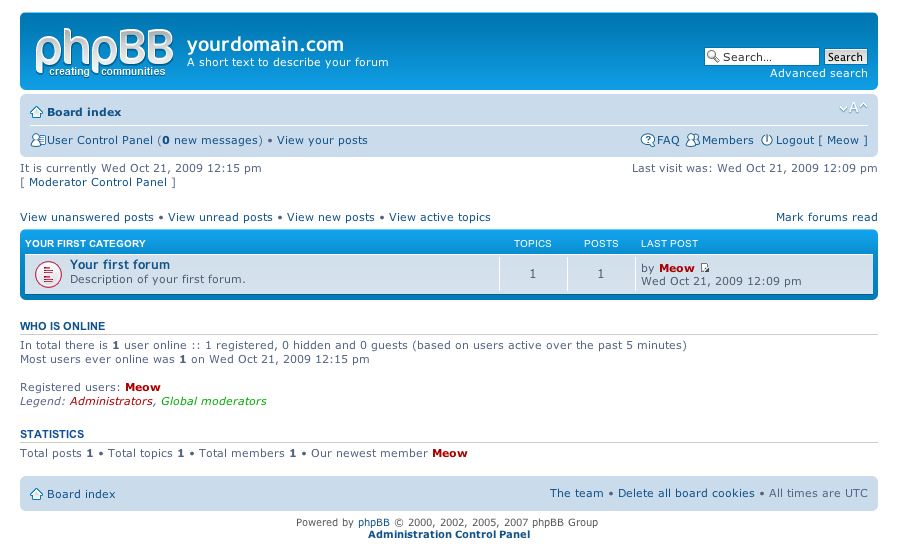
So far so good you by now have the PHPBB3 forum properly installed and running, however if you try to Register a new user in the forum you will notice that it's impossible because of a terrible ugly message reading:

Sorry but this board is currently unavailable.

I've spend few minutes online to scrape through the forums before I can understand what I have to stop that annoying message from appearing and allow new users to register in the phpbb forum

The solution came natural and was a setting that had to be changed with the forum admin account, thus login as admin and look at the bottom of the page, below the text reading Powered by phpBB © 2000, 2002, 2005, 2007 phpBB Group you will notice a link with Administration Control Panel
just press there a whole bunch of menus will appear on the screen allowing you to do numerous things, however what you will have to do is go to
Board Settings -> Disable Board

and change the radio button there to say No

That's all now your forum will be ready to go and your users can freely register and if the server where the forum is installed has an already running mail server, they will receive an emails with a registration data concerning their new registrations in your new phpbb forum.
Cheers and Enjoy your new shiny phpbb Forum 🙂


How to get rid of “PHP Warning: PHP Startup: Unable to load dynamic library ‘/usr/lib/php5/20090626/suhosin.so'” on Debian GNU / Linux

Tuesday, October 25th, 2011

PHP-warning-how-to-fix-warnings-and-errors-php-logo

After a recent new Debian Squeeze Apache+PHP server install and moving a website from another server host running on CentOS 5.7 Linux server, some of the PHP scripts running via crontab started displaying the following annoying PHP Warnings :

debian:~# php /home/website/www/cron/update.php

PHP Warning: PHP Startup: Unable to load dynamic library '/usr/lib/php5/20090626/suhosin.so' – /usr/lib/php5/20090626/suhosin.so: cannot open shared object file: No such file or directory in Unknown on line 0

Obviously the error revealed that PHP cli is not happy that, I've previously removes the suhosin php5-suhosin module from the system.
I wouldn't have removed php5-suhosin if sometimes it doesn't produced some odd experiences with the Apache webserver.
To fix the PHP Warning, I used first grep to see, where exactly the suhosin module gets included in debian's php.ini config files. debian:~# cd /etc/php5
debian:/etc/php5# grep -rli suhosin *
apache2/conf.d/suhosin.ini
cgi/conf.d/suhosin.ini
cli/conf.d/suhosin.ini
conf.d/suhosin.ini

Yeah that's right Debian has three php.ini php config files. One for the php cli/usr/bin/php, another for the Apache webserver loaded php library/usr/lib/apache2/modules/libphp5.so and one for Apache's cgi module/usr/lib/apache2/modules/mod_fcgid.so .

I was too lazy to edit all the above found declarations trying to include the suhosin module in PHP, hence I remembered that probably all this obsolete suhosin module declaration are still present because probably the php5-suhosin package is still not purged from the system.

A quick check with dpkg , further strenthened my assumption as the php5-suhosin module was still hanging around as an (rc – remove candidate);

debian:~# dpkg -l |grep -i suhosin
rc php5-suhosin 0.9.32.1-1 advanced protection module for php5

Hence to remove the obsolete package config and directories completely out of the system and hence solve the PHP Warning I used dpkg –purge, like so:

debian:~# dpkg --purge php5-suhosin
(Reading database ... 76048 files and directories currently installed.)
Removing php5-suhosin ...
Purging configuration files for php5-suhosin ...
Processing triggers for libapache2-mod-php5 ...
Reloading web server config: apache2.

Further on to make sure the PHP Warning is solved I did the cron php script another go and it produced no longer errors:

debian:~# php /home/website/www/cron/update.php
debian:~#

How to disable tidy HTML corrector and validator to output error and warning messages

Sunday, March 18th, 2012

I've noticed in /var/log/apache2/error.log on one of the Debian servers I manage a lot of warnings and errors produced by tidy HTML syntax checker and reformatter program.

There were actually quite plenty frequently appearing messages in the the log like:

...
To learn more about HTML Tidy see http://tidy.sourceforge.net
Please fill bug reports and queries using the "tracker" on the Tidy web site.
Additionally, questions can be sent to html-tidy@w3.org
HTML and CSS specifications are available from http://www.w3.org/
Lobby your company to join W3C, see http://www.w3.org/Consortium
line 1 column 1 - Warning: missing <!DOCTYPE> declaration
line 1 column 1 - Warning: plain text isn't allowed in <head> elements
line 1 column 1 - Info: <head> previously mentioned
line 1 column 1 - Warning: inserting implicit <body>
line 1 column 1 - Warning: inserting missing 'title' element
Info: Document content looks like HTML 3.2
4 warnings, 0 errors were found!
...

I did a quick investigation on where from this messages are logged in error.log, and discovered few .php scripts in one of the websites containing the tidy string.
I used Linux find + grep cmds find in all php files the "tidy "string, like so:

server:~# find . -iname '*.php'-exec grep -rli 'tidy' '{}' ;
find . -iname '*.php' -exec grep -rli 'tidy' '{}' ; ./new_design/modules/index.mod.php
./modules/index.mod.php
./modules/index_1.mod.php
./modules/index1.mod.php

Opening the files, with vim to check about how tidy is invoked, revealed tidy calls like:

exec('/usr/bin/tidy -e -ashtml -utf8 '.$tmp_name,$rett);

As you see the PHP programmers who wrote this website, made a bigtidy mess. Instead of using php5's tidy module, they hard coded tidy external command to be invoked via php's exec(); external tidy command invocation.
This is extremely bad practice, since it spawns the command via a pseudo limited apache shell.
I've notified about the issue, but I don't know when, the external tidy calls will be rewritten.

Until the external tidy invocations are rewritten to use the php tidy module, I decided to at least remove the tidy warnings and errors output.

To remove the warning and error messages I've changed:

exec('/usr/bin/tidy -e -ashtml -utf8 '.$tmp_name,$rett);

exec('/usr/bin/tidy --show-warnings no --show-errors no -q -e -ashtml -utf8 '.$tmp_name,$rett);

The extra switches meaning is like so:

q – instructs tidy to produce quiet output
-e – show only errors and warnings
–show warnings no && –show errors no, completely disable warnings and error output

Onwards tidy no longer logs junk messages in error.log Not logging all this useless warnings and errors has positive effect on overall server performance especially, when the scripts, running /usr/bin/tidy are called as frequently as 1000 times per sec. or more

Apache Benchmarking

Monday, January 14th, 2008

They’re few tools out there which are most common in use to do benchmarking and stess test on webservers. One of them “the most common one”is called “ab” or apache benchmark Check it out here another very common tool is called flood Check it here Flood seems to be the newer and most accurate tool to use for stress testing unfortunately it has one weakness. It only works with configuration file which is in xml format. So every time before you start it you have to generate a new xml file to suite your needs. Also a tool recommended to me in the #apache in the irc.freenode.net network is called “jmeter”, it’s located here . I personally didn’t tested it because it uses Java as a back end. While googling around I also have stucked on this interesting project PHPSPEED although I wasn’t able to test it looks like a promising test suite.END—–

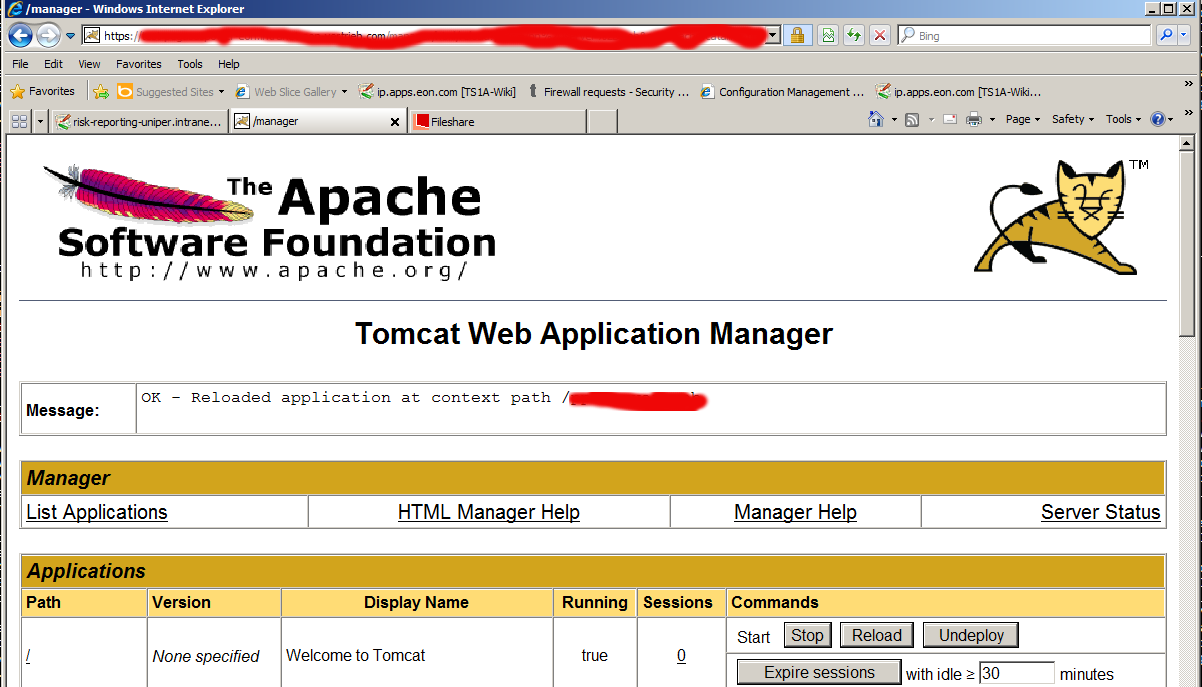
Fix “FAIL – Application at context path /application-name could not be started” deployment error in Tomcat manager

Thursday, October 1st, 2015

tomcat-manager-FAIL-Application-at-context-path-application-name-could-not-be-started-fix-solution-error

While deploying an environment called "Interim" which is pretty much like a testing Java application deployed from a Java EAR (Enterprise Archive) file from within a Tomcat Manager GUI web interface after stopping the application and trying to start it, the developers come across the error:


FAIL – Application at context path /application-name could not be started


The error puzzled me for a while until I checked the catalina.out I've seen a number of thrown Java Eceptions errors like:

Okt 01, 2015 10:48:46 AM org.springframework.web.context.ContextLoader initWebApplicationContext

Schwerwiegend: Context initialization failed

org.springframework.beans.factory.BeanCreationException: Error creating bean with name 'com.sun.xml.ws.transport.http.servlet.SpringBinding#2' defined in ServletContex

t resource [/WEB-INF/pp-server-beans.xml]: Cannot create inner bean ‘(inner bean)’ of type [org.jvnet.jax_ws_commons.spring.SpringService] while setting bean property

'service'; nested exception is org.springframework.beans.factory.BeanCreationException: Error creating bean with name '(inner bean)#33': FactoryBean threw exception on

 object creation; nested exception is java.lang.OutOfMemoryError: PermGen space

I've googled a bit about the error:

"FAIL – Application at context path /application-name could not be started"

and come across this Stackoverflow thread and followed suggested solution to fix web.xml tag closing error but it seems there was no such error in my case, I then also tried solution suggested by this thread (e.g. adding in logging.properties) file:
 

org.apache.catalina.core.ContainerBase.[Catalina].level = INFO
org.apache.catalina.core.ContainerBase.[Catalina].handlers = java.util.logging.ConsoleHandler

unfortunately this helped neither to solve the error when it is tried to be started from tomcat manager.

After asking for help a colleague Kostadin, he pointed me to take a closer look in the error (which is a clear indication) that the reserved space is not enough (see below err):
 

java.lang.OutOfMemoryError: PermGen space

And he pointed me then to Solution (which is to modify the present tomcat setenv.sh) settings which looked like this:

# Heap size settings

export JAVA_OPTS="-Xms2048M -Xmx2048M"


# SSCO test page parameter

export JAVA_OPTS="$JAVA_OPTS -DTS1A_TESTSEITE_CONFIG_PATH=test-myapplication.com"

# Default garbage collector settings

export JAVA_OPTS="$JAVA_OPTS -XX:MaxPermSize=128M"


# Aggressive garbage collector settings.

# Do not use! For testing purposes only!

#export JAVA_OPTS="$JAVA_OPTS -Xss128k -XX:ParallelGCThreads=20 -XX:+UseConcMarkSweepGC -XX:+UseParNewGC -XX:SurvivorRatio=8 -XX:TargetSurvivorRatio=90 -XX:MaxTenuringThreshold=31 -XX:+AggressiveOpts -XX:MaxPermSize=128M"


####### DO NOT CHANGE BELOW HERE #######

# Disable X11 usage

unset DISPLAY

export JAVA_OPTS="$JAVA_OPTS -Djava.awt.headless=true"


# Garbage collection log settings

export JAVA_OPTS="$JAVA_OPTS -verbose:gc -XX:+PrintGCTimeStamps -XX:+PrintGCDetails -Xloggc:/web/tomcat/current/logs/gc.log -XX:-TraceClassUnloading"


# Enable JMX console

export JAVA_OPTS="$JAVA_OPTS -Dcom.sun.management.jmxremote"


The solution is to to add following two options to export JAVA_OPTS (above options):

-XX:PermSize=512m -XX:MaxPermSize=512m


After modifications, my new line within setenv.sh looked like so:


JAVA_OPTS="-Xms2048M -Xmx2048M -XX:PermSize=512m -XX:MaxPermSize=512m"


Finally to make new JAVA_OPTS settings, I've restarted Tomcat with:


cd /web/tomcat/bin/
./shutdown.sh
sleep 5; ./startup.sh


And hooray it works fine thanks God! 🙂